Capture a useful shoot enquiry
Explore Forms for the date, location, intended use and shoot requirements. Keep the response alongside the client, then follow up with the context intact.
Explore photography enquiries
Keep the client journey around your photography in one place, from the enquiry and shoot brief to preparation, handover and payment.

Client Morrow Studio
Connected to this project and client
AI-generated illustrative scene. Sample project.
Illustrative workflows for a product in development. Some views use sample or session data; feature availability is confirmed as access opens.
Before the camera comes out, there are questions, a brief, an agreement and a plan. After it, there are delivery details and an invoice. Keep those pieces connected so each client gets a clear next step.
See how the relationship carries through the engagement below.
Shoot enquiry → Brief agreed → Shoot preparation → Client delivery. Keep the next commitment close to its client and project.
Explore Forms for the date, location, intended use and shoot requirements. Keep the response alongside the client, then follow up with the context intact.
Explore photography enquiriesUse Documents to explore proposals and agreements. Keep the scope, planned deliverables and client relationship together before organising the shoot project.
Explore proposals and agreementsBuild a project around preparation, the shoot and delivery. Explore Tasks for a shot list and equipment checklist, and Calendar for the meetings and bookings around the job.
Explore shoot preparationKeep delivery commitments visible in the project and explore Finance for invoices. The workspace manages the business context; it does not replace your editing software or promise a client proofing gallery.
Explore photography billingGive meetings and preparation a place beside the engagement.
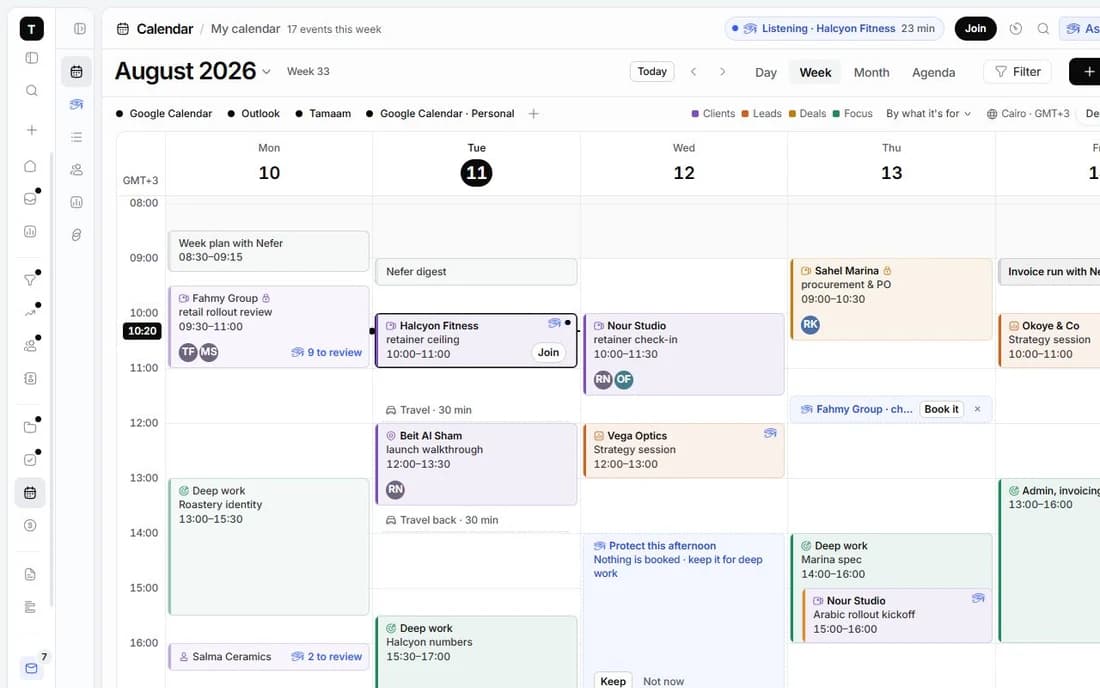

Explore how Nefer can help prepare a reply to a shoot enquiry or organise the context for a client call. Check dates, scope and usage details before sending anything.
You review AI-assisted work before using it. Some workflows are demonstrations of what is being built; live availability is confirmed as access opens.
Explore NeferNo editing or proofing integration is promised here. Tamaam focuses on enquiries, client context, projects, documents and finance around the photography work. Keep using your editing and delivery tools.
The example is a fictional brand shoot. Projects and Tasks can demonstrate preparation and delivery for different engagements, while Forms capture the questions relevant to your work.
Calendar and Finance show intended workflows. Live availability, external syncing and payment connections must be confirmed as access opens. This page does not promise automatic booking or payment collection.
Join early access to express interest. Tamaam is in development, with some sample or session-based product views. Joining is not a paid subscription.

A connected workspace for design studios. Keep the client, creative decisions, project delivery and money in the same conversation.
Explore the workflow
A workspace for tech agencies running client engagements. Bring discovery, scope, delivery milestones and billing into one place.
Explore the workflowTamaam is in development. Join early access to tell us about your business and hear when access opens. Joining does not start a subscription.
Talk to the team