
Let Nefer prepare your workspace
Start from your website, review what Nefer finds and decide what belongs in the workspace.
On this page
About the current product preview
These guides describe Tamaam’s current product preview. Website reading, service connections and team invitations are demonstrated in the preview; live delivery and syncing are not available there.
What Nefer prepares
The website path helps prepare your company’s brand, services and client context. The preview demonstrates this flow with illustrative website findings. It does not perform a live read of your website.
You remain responsible for checking names, wording, colors and services. Public website information can be incomplete or out of date.
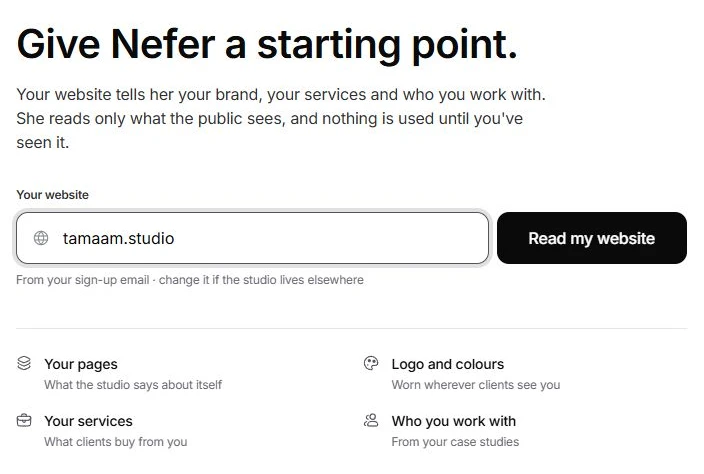
Follow the website path
- Choose Continue with Nefer.
On the welcome screen, open Nefer’s path and enter Your website. Choose Read my website. The current preview runs an illustrative reading sequence.
- Choose See what she found.
After the reading sequence, open the review screen. Edit the company details and check the logo, colors, typography, tagline and voice. Choose Looks right when you are satisfied, or Skip to leave the review for later.
- Answer A few questions.
Fill the gaps about your services and the clients you work with. Correct suggestions that do not describe your business.
- Review What Nefer prepared.
Inspect the templates and other proposed items. Select the useful items and choose Keep followed by the count. After they are kept, Continue moves on. Skip is available when you want to decide later.
- Continue with setup.
Review connections and the team, then enter the workspace. Use Getting started for steps left for later.
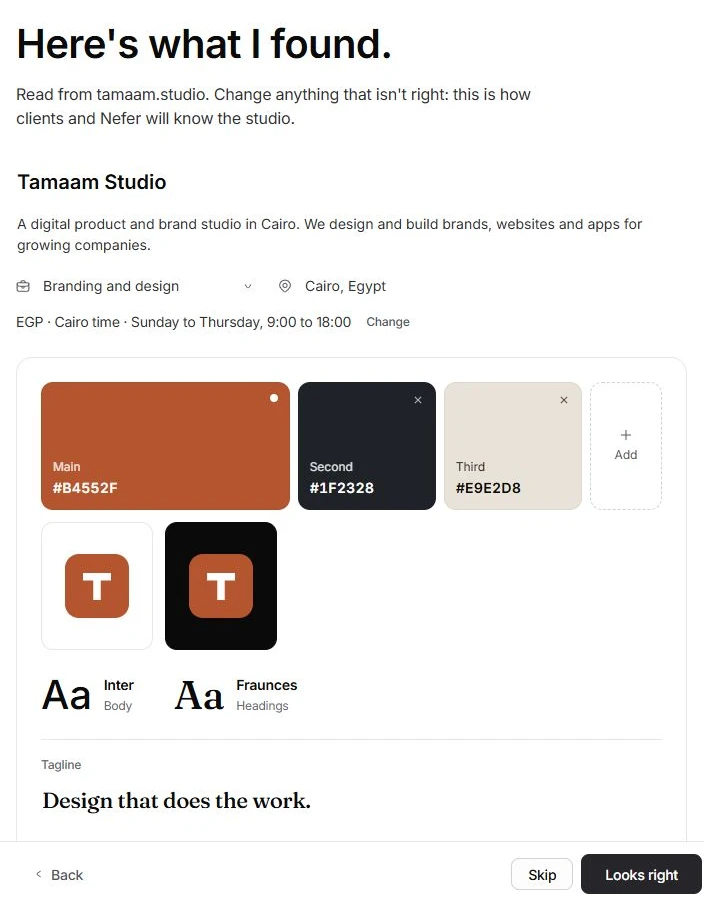
If you do not have a website
Choose Skip on the website step to continue without a website, or use Set it up myself from the welcome screen. Provide the company details yourself. A missing website should not stop you preparing the workspace.
Correct a suggestion later
Open Settings → Branding for the visual identity and Settings → Business brain for the company, services, ideal clients and voice. Open Settings → Nefer for where she helps and how her drafts are handled. Editing a suggestion is part of setup; it does not require accepting everything she prepared.
Reviewed by the Tamaam product team against the Block 5 product preview. If a screen or step changes, tell us below.
Was this article helpful?
Need help with your workspace?
A support request lets the team reply to you directly.
Get help with this article