
Deliver a client project
Take an agreed brief through milestones, assigned tasks, meetings, approvals and a clear final handover.
Clients → Projects → Tasks → Calendar → Documents → Finance
Before you start
- Open the existing project linked to the won deal when one exists.
- Confirm the agreed scope, client contacts, delivery lead and target dates.
- Check that the team can access the project and the client-facing sections are appropriate.
What you’ll have at the end
The client receives the agreed work, the project records its decisions, and final billing and feedback have an owner.
Follow the workflow
Confirm the brief and commercial context
Who takes this step: Project lead and account manager
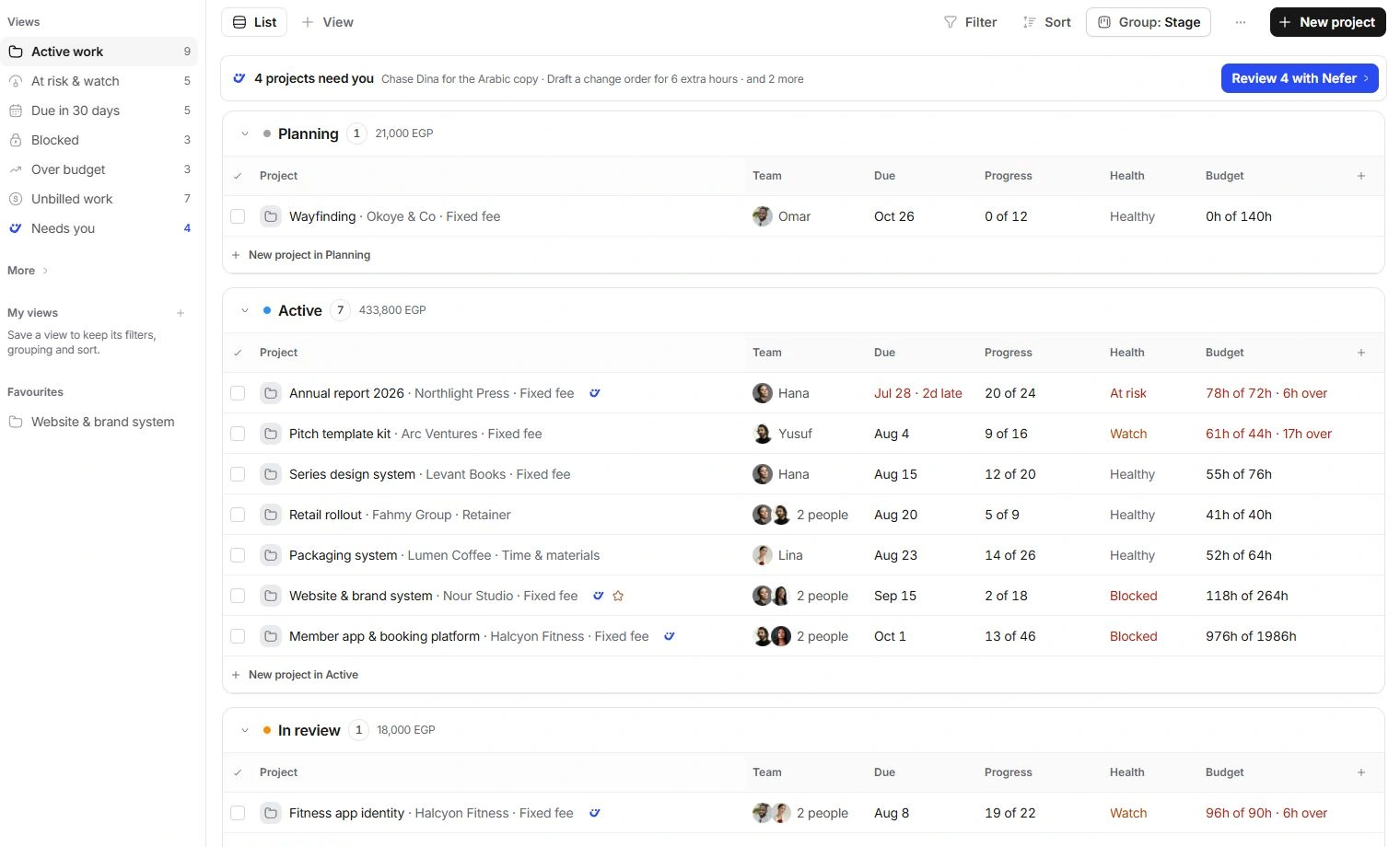
Open the project from the client or won deal. Read its overview, linked commercial documents, brief and recent conversations. Check what was agreed, what is excluded and which client contact can approve the work.
Review any form response or questionnaire supplying the brief. Link the source rather than replacing the original with an unsupported summary. Resolve scope questions before turning them into delivery commitments.
Before moving on
The team can point to the agreed scope and the source of the brief.
Build milestones and deliverables
Who takes this step: Project lead
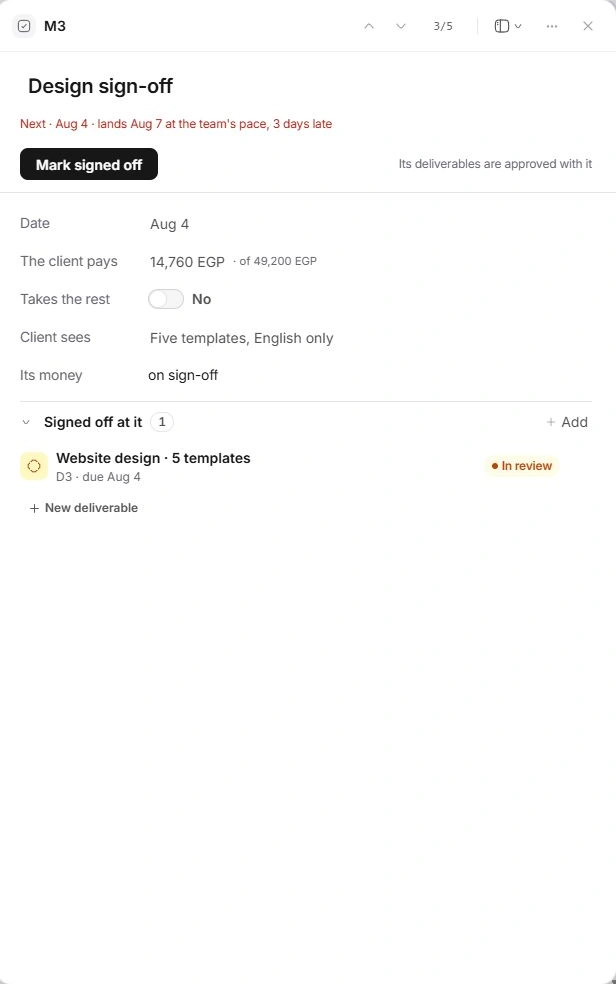
Open the project’s work plan. Organize deliverables and milestones around outcomes the client can review, then set realistic dates. Check the relationship between milestone dates, task due dates and the overall delivery date.
Review team capacity before assigning work. Include dependencies and client decisions that can block progress. A date should reflect the delivery plan rather than hide an unresolved dependency.
Before moving on
The plan shows what will be delivered, when it is due and what must happen first.
Assign work with enough context
Who takes this step: Project lead and task assignees
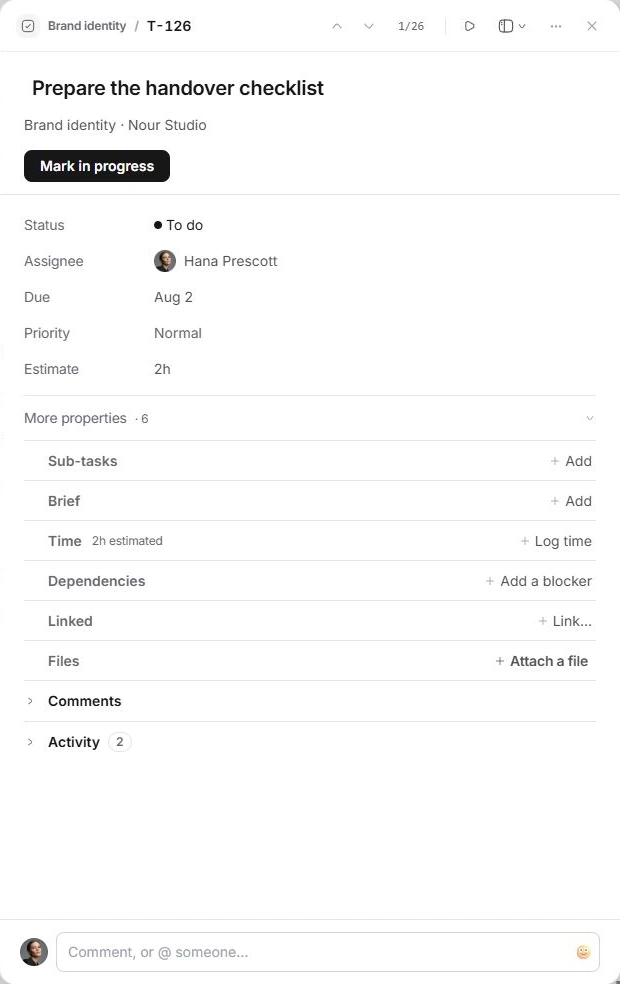
Create tasks under the relevant project or deliverable. Name the outcome, choose an assignee, set the due date and estimate, and attach the context needed to begin. Use subtasks or a checklist for smaller parts of the same result.
Keep status, blockers and discussion on the task. Review client visibility before sharing work externally. Log time against the correct task or project so delivery effort stays connected to billing and profitability.
Before moving on
Every active task has a clear responsible person and the information needed to act.
Use meetings to resolve decisions
Who takes this step: Meeting owner and project lead
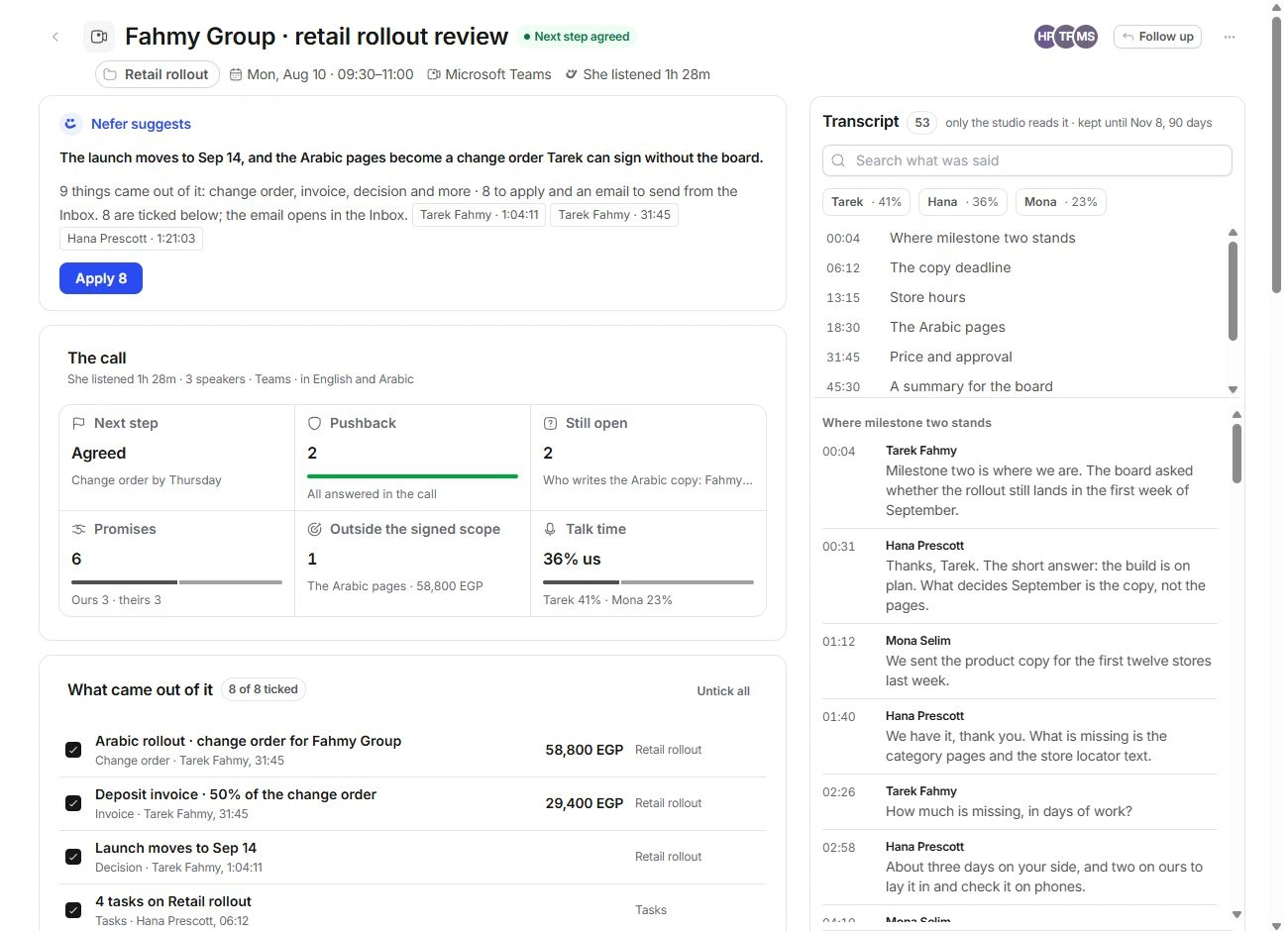
Create or open the linked meeting in Calendar and verify its attendees, time and location. Ask Nefer to prepare from the project’s current work and inspect the sources behind the brief.
After the meeting, review notes and proposed next steps. Keep the decisions you agree with, assign resulting tasks and update the relevant records. A preparation brief is useful context; the actual meeting outcome belongs in its notes and follow-up work.
Before moving on
Meeting decisions have become visible record updates or owned tasks.
Collect approvals and control scope changes
Who takes this step: Project lead and client approver
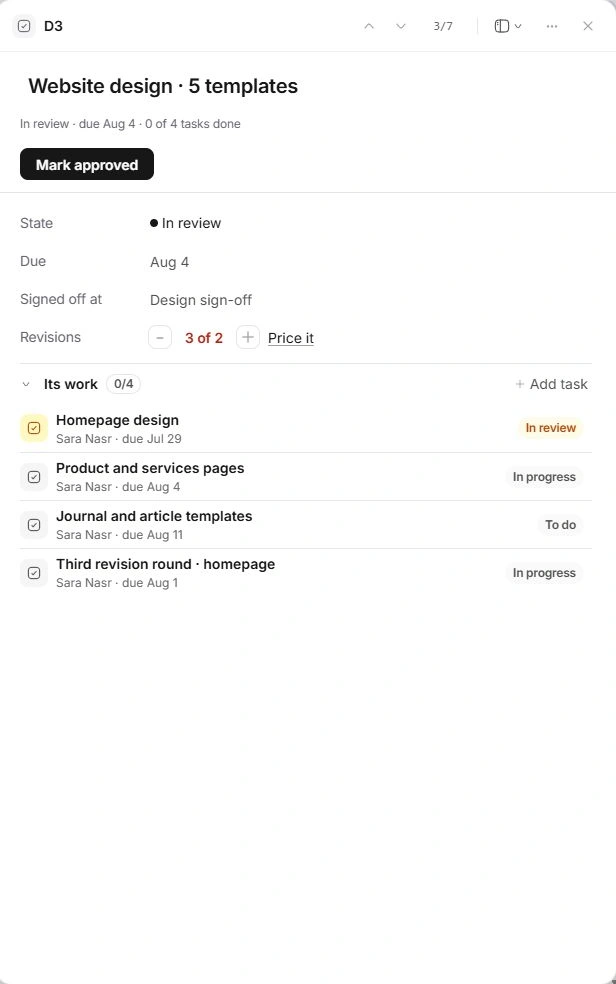
Use the project’s review and approval workflow for deliverables that need a decision. Check the file version, intended reviewer and client-visible content. Keep the decision attached to the work so the team knows what is approved.
When new requests change the scope, prepare a change order from the project, review its price and impact, and follow the document’s approval or signing workflow. Update the delivery plan after the commercial decision rather than quietly absorbing an unreviewed commitment.
Before moving on
The current version and approval are clear, and extra scope has an explicit decision.
Deliver the final work and review client access
Who takes this step: Project lead
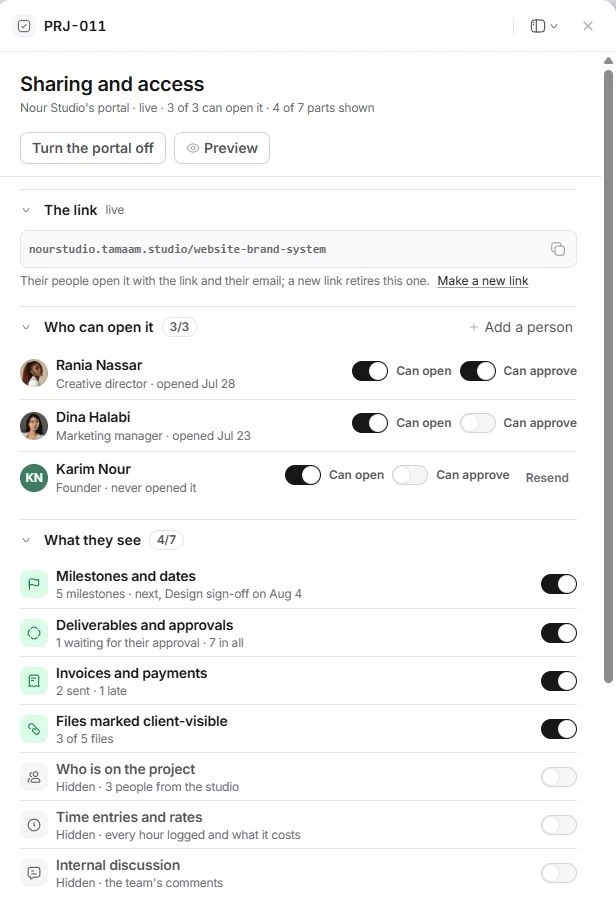
Check that the agreed deliverables are complete and the final files are the right versions. Review the project’s client-facing view and file audience, then prepare the handover message with the intended links and any remaining instructions.
Confirm how the client will access the deliverables and who handles final questions. Record the delivery outcome on the project. Keep internal notes and working files separate from the material selected for the client.
Before moving on
The client-facing handover contains the agreed final work and usable access.
Close out billing, feedback and remaining actions
Who takes this step: Project lead and finance owner
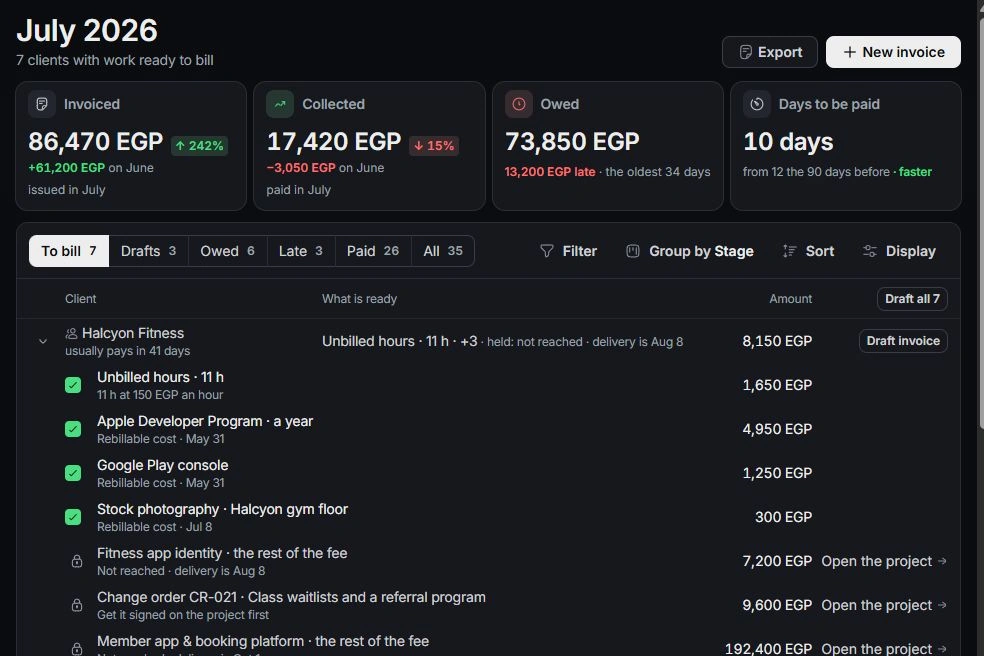
When the project is delivered, review the offered close-out actions. Inspect the remaining contract balance before keeping a final invoice draft, and review the feedback-form draft and its recipient in Inbox.
Open Finance to check invoices, payments, unbilled time and rebillable costs. Assign any remaining follow-up task and keep the client relationship current. Delivery completion and payment collection are separate outcomes, each with an owner.
Before moving on
Final billing and feedback are reviewed, and unfinished follow-ups have a responsible person.
Check the complete handoff
- Agreed deliverables have a clear completed or approved outcome.
- The final files and client-facing access have been reviewed.
- Final billing, feedback and remaining follow-ups have named owners.
If the workflow gets stuck
A milestone is slipping
Open its dependent tasks and blocked decisions, review capacity and agree a revised plan with the right people. Change the source dates and record the reason.
Plan milestones and delivery datesThe client asks for more work
Use a scope change or change order to review the request, its cost and delivery impact before adding an unagreed commitment.
Manage scope and change requestsFor help with your workspace, contact the team with the workflow name, the step and what happened.
Contact support