
Review a proposed change
Inspect a proposed action and confirm its result in the module that owns the work.
On this page
Read the whole proposal
Open the proposal on the record or in Nefer’s answer. Check the current value, proposed value, reason and the work it affects. Review dates and ownership as carefully as the headline.
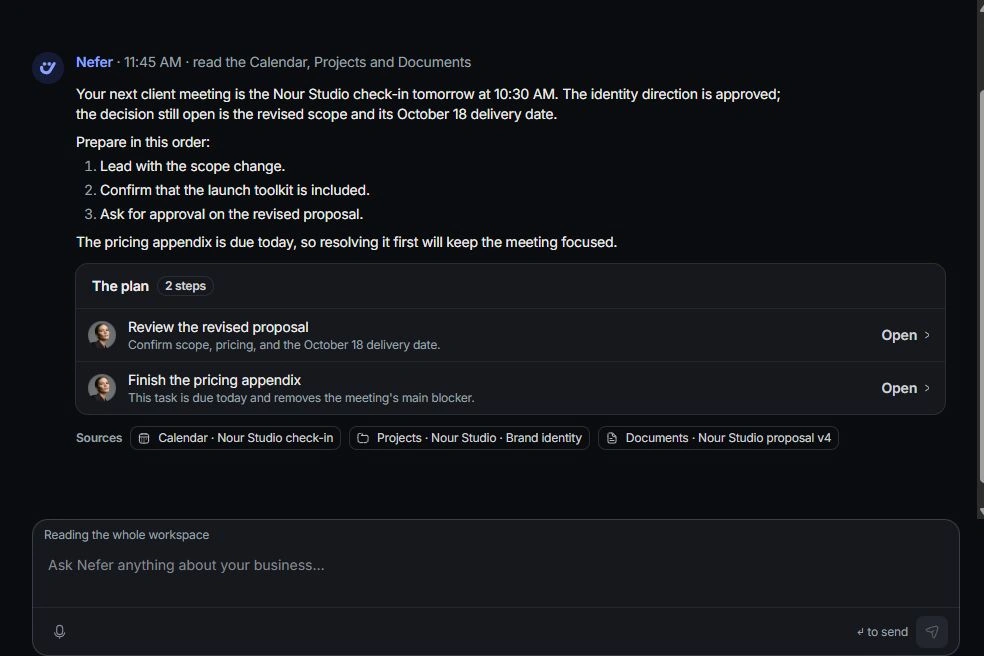
Choose the intended action
Use the explicit keep, apply, draft or review action shown for that proposal. Set aside or reject a suggestion that does not fit the work. Read disabled-action guidance instead of trying to bypass it.
Verify what changed
Read the confirmation and inspect the owning record. For a prepared message, open the draft to review its recipient and content. A step that creates a draft is not a completed send.
Correct an accidental decision
Use Undo from the confirmation when available. Reopen the affected record afterward to verify the restored state. If the source information was wrong, correct it before asking Nefer for another proposal.
Need a clarification? Tell us what you were trying to do below.
Was this article helpful?
Need help with your workspace?
A support request lets the team reply to you directly.
Get help with this article