
Set the next follow-up
Give each enquiry a named next action and a date, with a task when the action needs its own tracking.
On this page
Read the last contact
Open the lead and review Last contact alongside the conversation history. A recorded contact date is evidence of contact; changing a date alone does not send a message or make a call.
Write a concrete next step
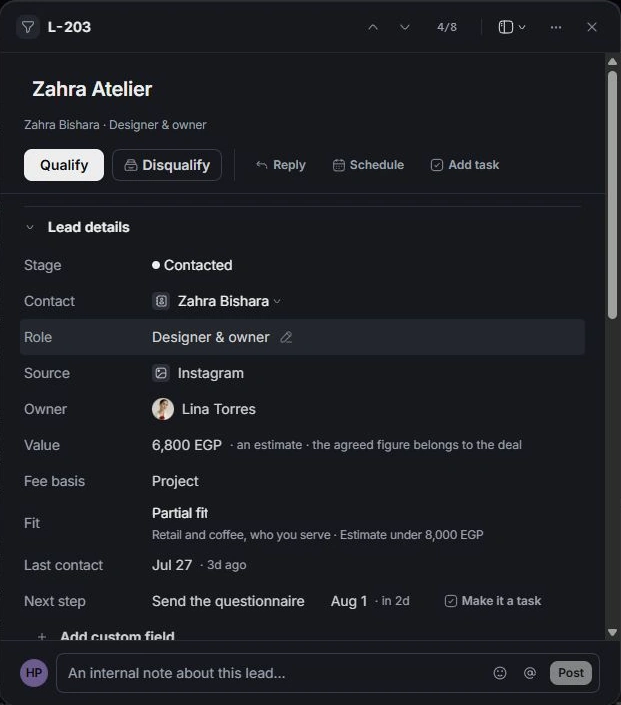
Edit Next step with a verb and a clear outcome, such as confirming the decision-maker or asking for a budget range. Set the follow-up date so the enquiry returns at the right time.
Track the action in Tasks
Choose Make it a task when the action needs an assignee, due date or task discussion. Review the task’s details and linked lead. Use the linked task for execution rather than creating a second independent reminder.
Close the loop
After the action, update the lead with the result and choose the next step or stage. Quiet 14 days+ helps surface enquiries with little recent contact; it is a review list, not an instruction to send a generic message to everyone.
Need a clarification? Tell us what you were trying to do below.
Was this article helpful?
Need help with your workspace?
A support request lets the team reply to you directly.
Get help with this article