
Work with company contact records
Keep an organisation and its people in the directory without creating an unnecessary client account.
On this page
Choose Company for an organisation
Use New contact and change Type to Company when the record represents an organisation. Give it a clear name and review What it is. A company record uses a selectable mark instead of a person’s initials.
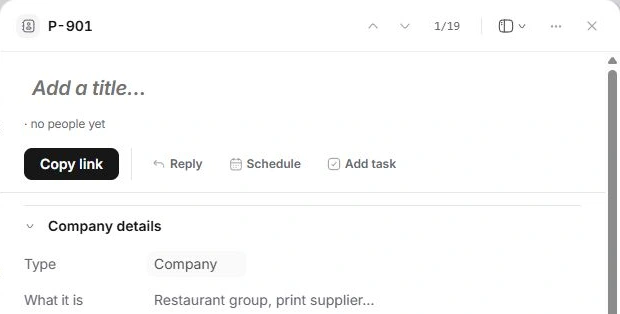
Connect the people who work there
For each individual, choose the organisation in Company. The company’s People here and a person’s Colleagues are read from the directory relationships. Check name and company before adding a new person.
Keep the commercial account separate
A supplier, collaborator or lead can have a company record without being a client. When there is a paying engagement, use the appropriate existing client account and link the records. Do not convert a person’s type to Company simply because their employer changed.
When the people list is incomplete
Check each person’s Company and Type. People only encountered in a client conversation or project may still need Add to Contacts. Search the existing directory before adding the same person again.
Need a clarification? Tell us what you were trying to do below.
Was this article helpful?
Need help with your workspace?
A support request lets the team reply to you directly.
Get help with this article