
Find the right settings
Find personal preferences, workspace administration, module controls and connections in the right settings area.
On this page
Open Settings
Open the account menu in the workspace rail and choose Settings. The sidebar groups settings by You, Workspace, Business, Modules and Connections. Choose the area that owns the decision.
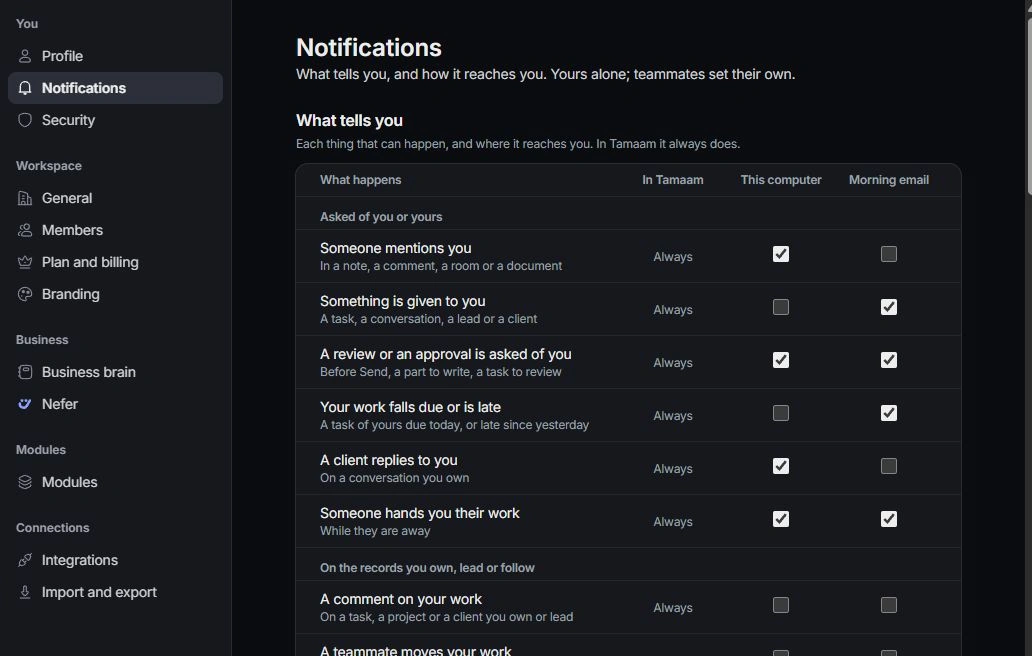
Change your own preferences
Profile, Notifications and Security concern your account and experience. Time zone, week start, appearance and notification choices can differ between teammates.
Change shared settings
General, Members, Plan and billing and Branding affect the workspace. Business brain holds company knowledge; Nefer controls her assistance. Shared or restricted settings may require an owner or admin.
Go to the module’s controls
Open Modules and choose Inbox, Calendar, Tasks, Projects, Clients, Leads and deals, Forms, Finance or Documents. Use Integrations to review connected services and Import and export for moving data. Read the field’s explanation and scope before changing it.
Need a clarification? Tell us what you were trying to do below.
Was this article helpful?
Need help with your workspace?
A support request lets the team reply to you directly.
Get help with this article