
Work with document templates
Use templates and saved sections to start consistently while reviewing the details for each client.
On this page
Open the template library
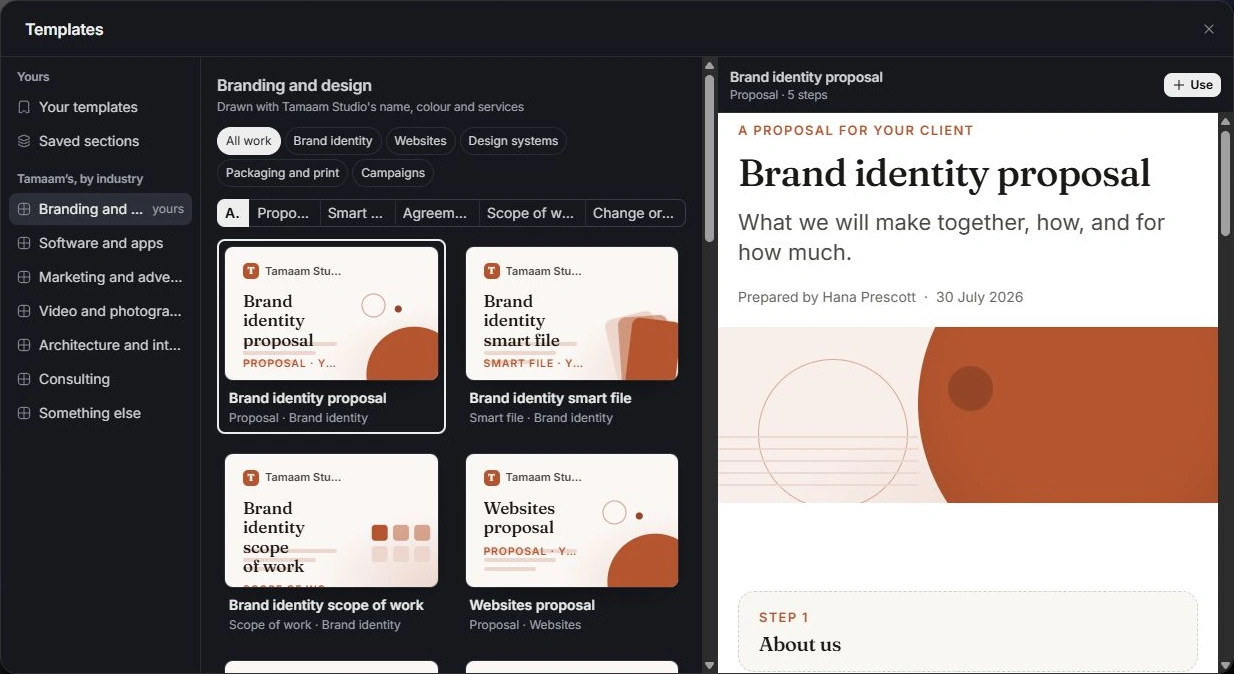
In Documents, choose Templates. Browse the available kinds and the workspace’s own saved material. Select a template to inspect its content and suitability before using it.
Start a document from the template
Choose the template’s use action and review New document. Confirm the kind, name and the deal, project or client it is for. Create the draft, then replace any placeholder or outdated detail.
Reuse a section deliberately
Open Saved sections for reusable parts of a document. Insert the appropriate section through the editor and read it in its new context. Check that duplicated wording does not contradict the rest of the document.
Check assumptions every time
A template is a starting point. Recheck scope, prices, deposit, payment terms, signers and dates for the current client. Keep workspace templates maintained so a copied document does not repeatedly introduce old terms.
Need a clarification? Tell us what you were trying to do below.
Was this article helpful?
Need help with your workspace?
A support request lets the team reply to you directly.
Get help with this article