
Review project team capacity
Balance work using people's commitments across the workspace.
On this page
Read Our team
Open People. Logged here describes effort already recorded on this project. Needed this week and planned hours describe the current workload. Their week includes other projects, so review the complete week before assigning more.
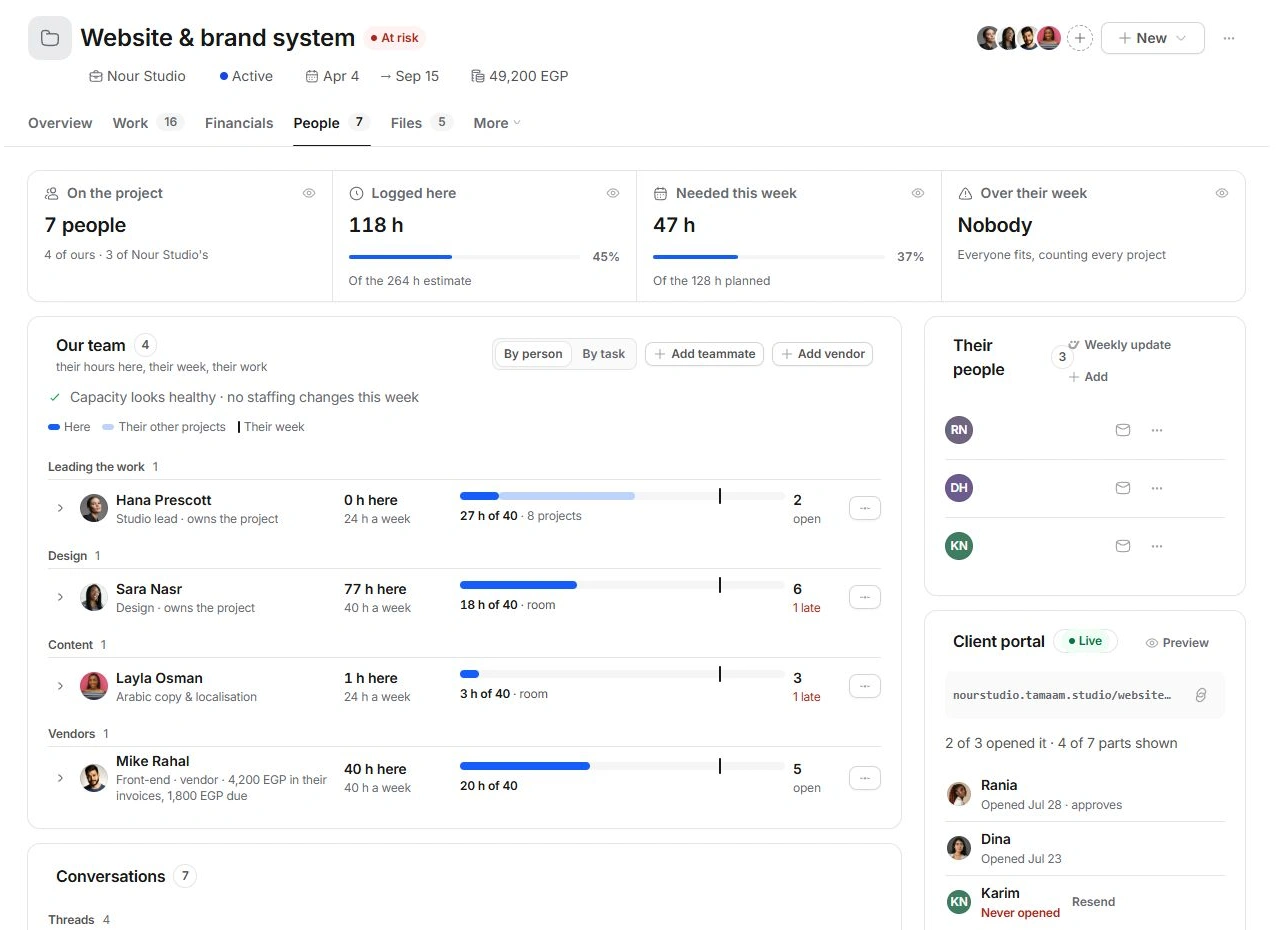
Investigate an overloaded week
- Switch between By person and By task.
Use the view that exposes the assignment you need to understand.
- Expand the relevant teammate.
Read the task list, remaining estimates and other-project commitments.
- Review a proposed move or allocation.
Check the receiving person's week and the task's due date before moving responsibility or accepting an hours proposal.
- Check the plan again.
Return to Work or Overview to see whether the revised assignment addresses the delivery risk.
Keep vendors and client contacts distinct
Add vendor records an outside contributor. Their people describes client-side contacts and decision roles. Neither should be used as a shortcut for adding an internal teammate. Review rates and responsibility where appropriate before treating a new person as available capacity.
If the figures seem inconsistent
Compare the same week and the same person across views. Logged effort, planned effort and remaining work answer different questions. Check task estimates, assignments and time entries before changing a person's capacity to make a warning disappear.
Need a clarification? Tell us what you were trying to do below.
Was this article helpful?
Need help with your workspace?
A support request lets the team reply to you directly.
Get help with this article