
Create or edit a contact
Keep the person’s name, organisation and ways to reach them accurate.
On this page
Start with the existing directory
- Search Everyone before creating.
Check spelling, company and role so you do not add the same person twice.
- Choose New contact.
A new person opens in the record drawer. Replace Add a title… in Contact name.
- Review Type.
Keep Person for an individual; choose Company for an organisation record.
- Complete the details.
Choose Company and Role for a person, then review Email, Phone, Reach on, Linked as and Known by.
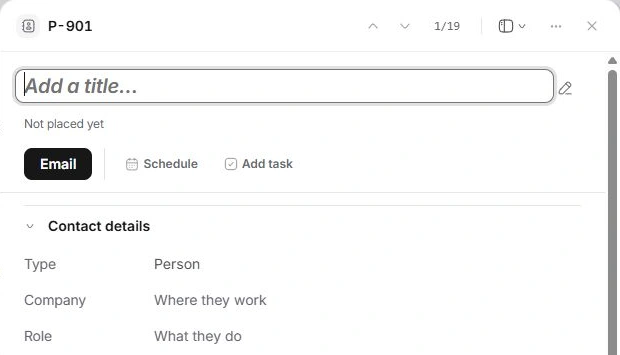
Edit the field that is wrong
Open the contact row to use the record drawer. Select the relevant value and enter the correction. Check a complete email address before starting an email, and verify a phone number against its source. Empty or unrecorded details are a reason to check the source rather than guess.
Keep useful working context
Use How they work for stable context about their role, priorities and communication preferences. Keep internal discussion in Notes. Custom fields can capture additional structured information used consistently by the team.
Review the record after editing
Check the name, company and classification together. Use Previous record and Next record to move through the current set, checking the person before editing. If a different record has the correct details, inspect both records before creating more duplicates.
Need a clarification? Tell us what you were trying to do below.
Was this article helpful?
Need help with your workspace?
A support request lets the team reply to you directly.
Get help with this article