
Review meeting notes and next steps
Use a completed meeting’s evidence, transcript and draft checklist to decide what becomes work.
On this page
Open the completed meeting
- Find it in Meetings or Calendar.
A completed call with a review workspace opens its full meeting page.
- Read The call and Summary.
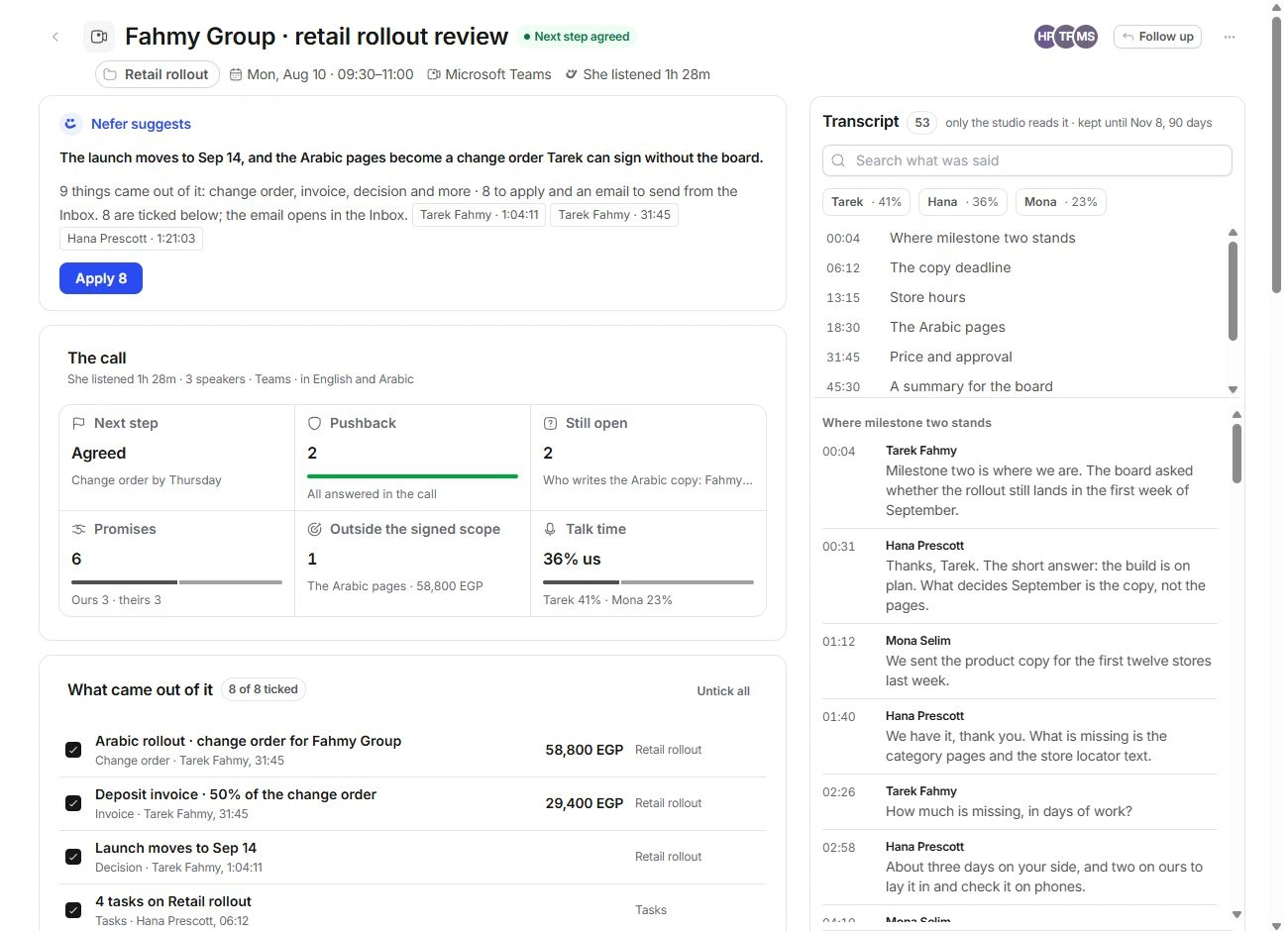
Review what was decided, what remains open, pushback and the next step. Do not apply a checklist solely from its item count.
- Open the evidence.
Speaker and timestamp controls lead to the relevant transcript line. Check the context before accepting a proposed date, amount or commitment.
Search and read the transcript
The transcript has chapters, speaker filters and Search the transcript. Use them to locate the relevant passage without reading the entire call.
Language settings can preserve Arabic alongside an English reading or show an English version marked as spoken in Arabic. Review the original context when wording affects a decision.
The transcript rail states its retention information. Studio notes and transcript access are distinct from a recap you deliberately share with a client.
Review What came out of it
- Open each proposed item.
Read its type, evidence, amount or date, and destination. Items can include tasks, a decision, a document, a change order, time or another meeting.
- Keep only the intended items ticked.
Untick anything that is not ready. Edit the proposed item where its controls allow it, or set it aside.
- Choose Apply for the reviewed set.
The receipt says where the work landed. Open that destination to confirm the result.
- Review email separately.
Open the draft takes email to Inbox for reading and sending. Applying other items is not permission to send the message.
Track notes and promises
Promises separates Ours from Theirs. Make it a task and Wait on them create different kinds of next step. Check who made the promise and its evidence before choosing either.
Notes is for studio discussion. Activity records decisions and changes. Use the offered Undo if a newly applied decision was mistaken, then inspect the destination record as well.
Need a clarification? Tell us what you were trying to do below.
Was this article helpful?
Need help with your workspace?
A support request lets the team reply to you directly.
Get help with this article