
Create and assign a lead
Create an enquiry with a clear owner, a linked contact and an actionable follow-up.
On this page
Start in Leads
Open Leads and choose New lead. Give the enquiry a recognizable company or opportunity name. Search existing leads before adding another record for an enquiry the team already handles.
Identify the person and owner
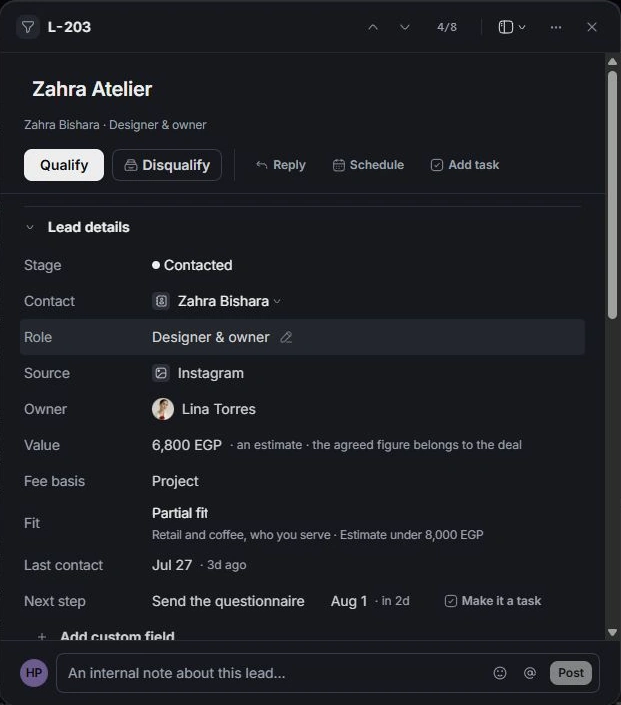
Choose Contact from Contacts, then check their company and role. Select the responsible Owner. A lead needs at least one owner; ownership is the person responsible for progress, not proof that contact has happened.
Record useful commercial context
Set Source and enter the estimated Value and Fee basis when known. Keep estimates separate from an agreed scope. Add the client’s request in the brief and record what the team still needs to learn.
Leave a next step
Write the next action and its date. Use Make it a task when someone should track that action in Tasks. Reopen the lead to confirm the contact, ownership and follow-up were saved to the intended record.
Need a clarification? Tell us what you were trying to do below.
Was this article helpful?
Need help with your workspace?
A support request lets the team reply to you directly.
Get help with this article