
Create or update a client
Name the account, choose its engagement and keep the commercial relationship current.
On this page
Create the account
- Search Clients first.
Check the company name and existing relationships to avoid creating another account for the same client.
- Choose New client.
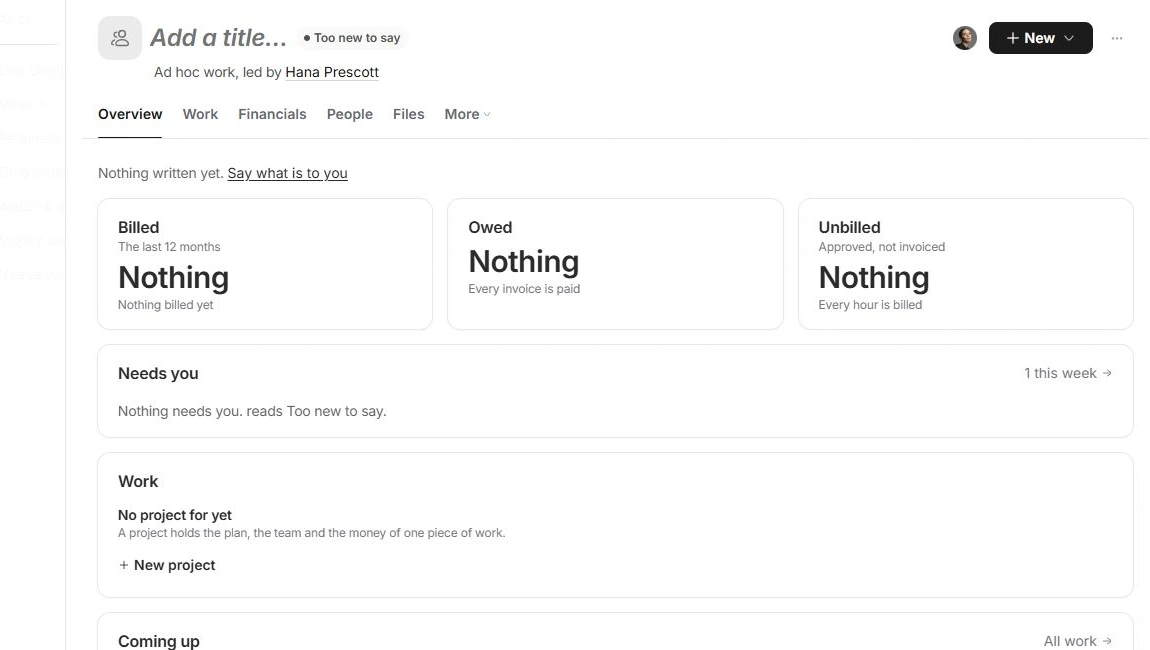
A new record is created. Open its page if the list remains in view, then replace Add a title… with the client’s name.
- Open Client settings.
Use More → Client settings to review the rest of the record.
Set the relationship basics
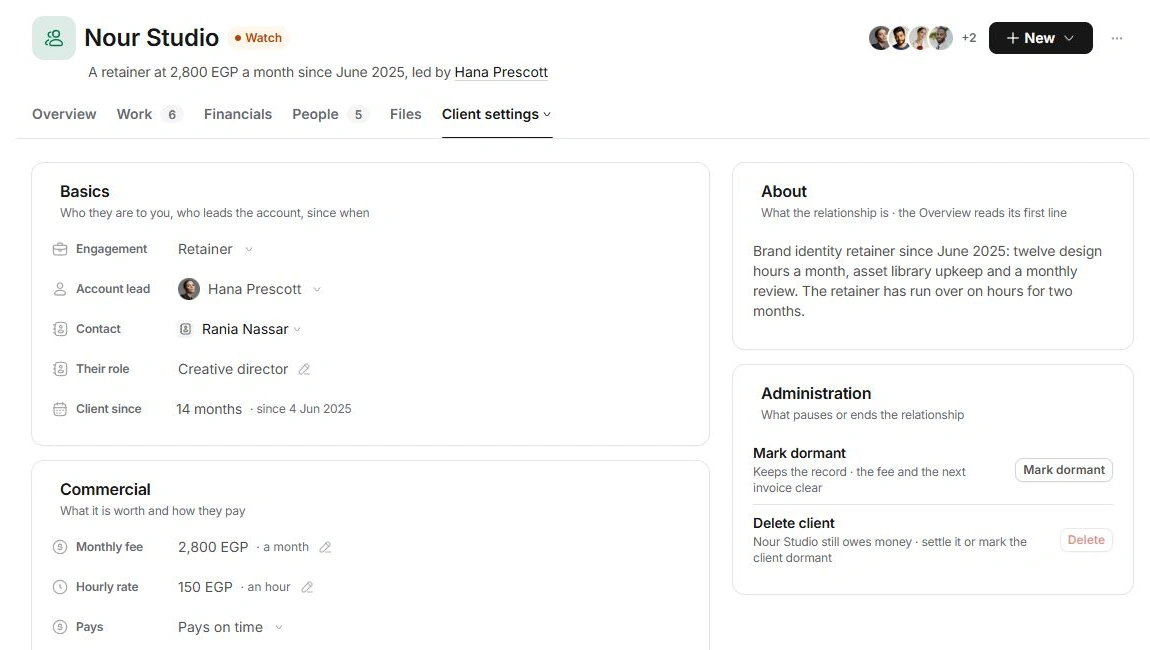
In Basics, choose Engagement: Retainer, Project, Ad hoc or Dormant. Review Account lead, Contact and Their role. A client keeps at least one account lead. Contact should identify the person you deal with; the complete directory details belong in Contacts.
Check the commercial details
Review the fee and Hourly rate in Commercial. For a retainer, the fee is monthly; another engagement uses its agreed figure. Check Pays and the workspace currency. Organization holds industry, website, address, tags and custom fields. Enter billing details carefully and verify them against the client’s information.
Review the result
Write About so the next teammate understands the engagement; Overview reads its first line. Return to Overview to check the account name, engagement and lead. A newly created client can be Too new to say until there is enough relationship history. Add people and delivery records to the existing account rather than recreating it.
Need a clarification? Tell us what you were trying to do below.
Was this article helpful?
Need help with your workspace?
A support request lets the team reply to you directly.
Get help with this article