
Invite and manage members
Invite teammates and review membership, roles and client-mail access separately.
On this page
Open Settings → Members
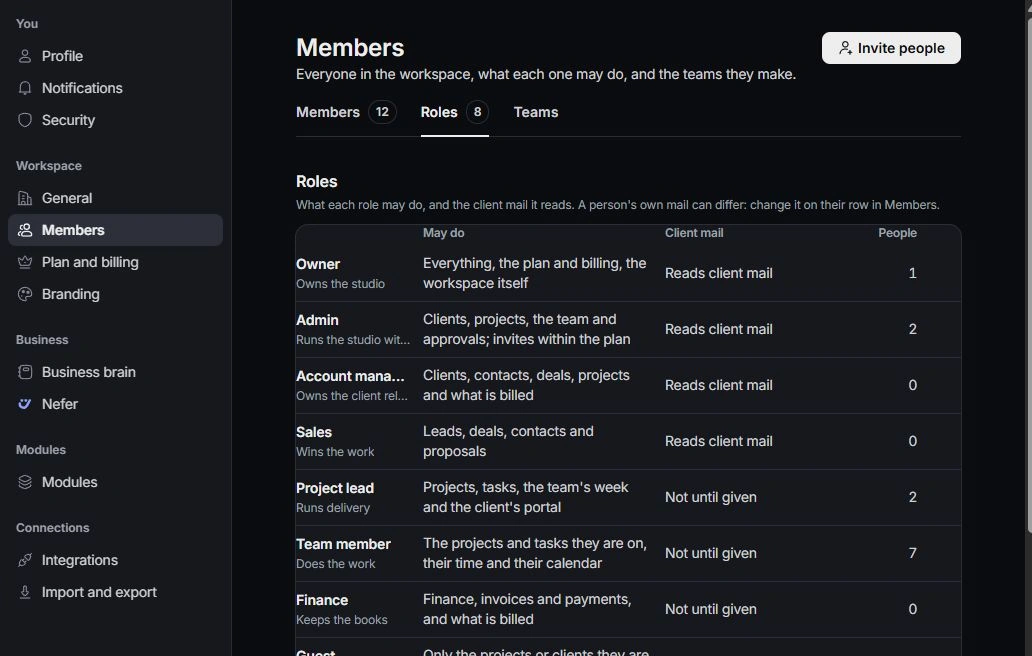
Use the Members tab to review active people and invitations. Check the person’s name, invitation state and role before changing access. Roles and Teams have their own tabs on the same page.
Prepare an invitation
Choose Invite people, enter the intended work address and choose the role. Read What they can open and check available seats before confirming. Avoid inviting a second address when the person already has the right membership.
Review role and client mail
Use the person’s row to review role and client-mail access. These are separate decisions. Choose access based on the work they need, and ask the owner when a restricted control is unavailable.
Check joining and handover
Ask the teammate to use the invitation and verify the workspace. If they cannot join, inspect the invitation state and intended address. Before removing or changing responsibility, review their open tasks, conversations and other owned work.
Need a clarification? Tell us what you were trying to do below.
Was this article helpful?
Need help with your workspace?
A support request lets the team reply to you directly.
Get help with this article