
Create a deal
Create an opportunity around the client, signing contact and scope you intend to agree.
On this page
Choose the right starting point
If the enquiry already exists in Leads, qualify it and use its Open deal action. Otherwise open Deals and choose New deal. Search first to avoid two records tracking the same commercial decision.
Name the opportunity and client
Give the deal a specific name, select its client relationship and choose Who signs from Contacts. Check that the person belongs to the intended relationship. Select at least one Owner responsible for the opportunity.
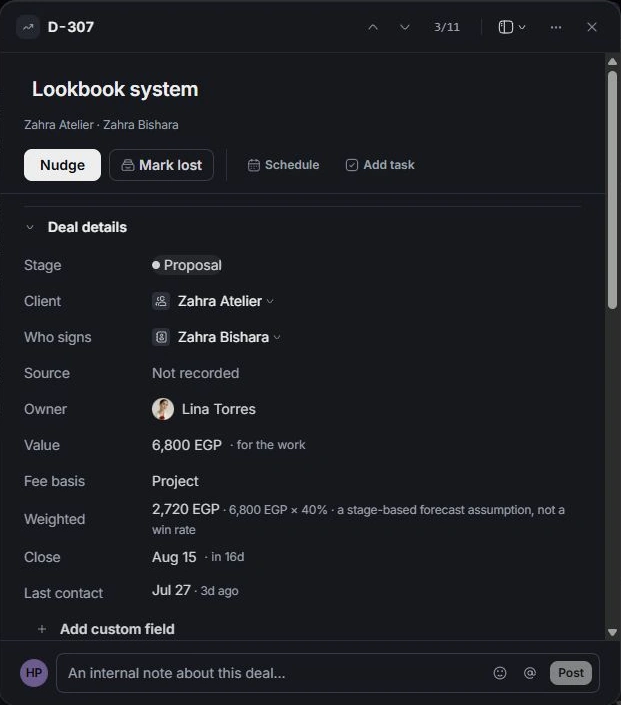
Add the commercial details
Enter Value, Fee basis and Close. Use the brief to explain the intended work, then add Scope lines for the deliverables and their amounts. Unknown details should become questions for the next conversation.
Review the new record
Open the saved deal and check its stage, client and signing contact. It begins in the proposal workflow. Write the proposal opens a linked document; creating a deal does not itself send commercial terms to the client.
Need a clarification? Tell us what you were trying to do below.
Was this article helpful?
Need help with your workspace?
A support request lets the team reply to you directly.
Get help with this article