
Mark a deal won or lost
Record the commercial outcome and complete the delivery or follow-up handoff.
On this page
Confirm a win
Open the deal and check its agreement and commercial details. Move Contract out to Won when the decision is established. Won is a completed stage; use Set up the work to prepare delivery rather than creating disconnected records manually.
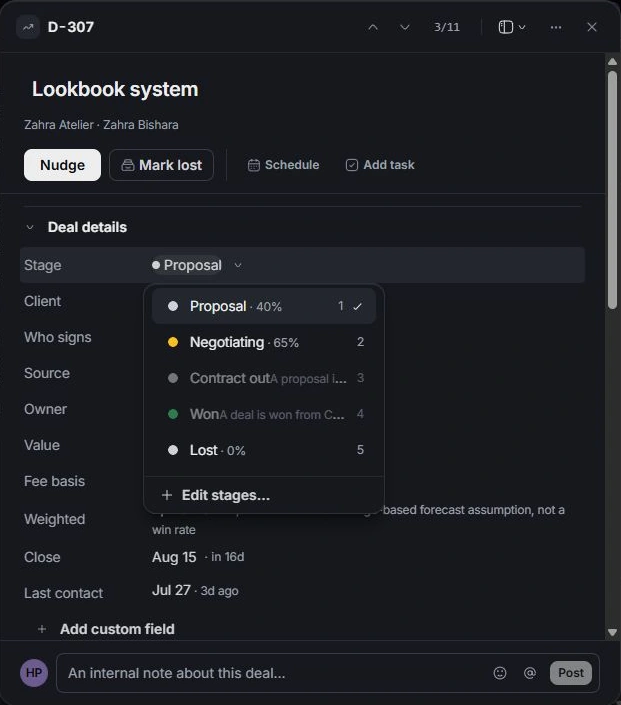
Record a loss
Move the deal to Lost and review the reason dialog. Choose the reason, Check back date and Whose task. Save the reason to create the follow-up task linked to the client.
Understand closing the dialog
Closing a handoff dialog does not automatically reverse the stage move that opened it. Reopen the record and inspect its stage and activity. Use the change notification’s Undo when correcting an accidental action.
Revisit the outcome
Lost can reopen at Proposal if the opportunity returns. Review old scope and dates before restarting. For a won deal, follow its project link to continue delivery and preserve the original commercial history.
Need a clarification? Tell us what you were trying to do below.
Was this article helpful?
Need help with your workspace?
A support request lets the team reply to you directly.
Get help with this article