
Open a record preview or full page
Use a quick preview for context and open the full record when you need its complete workspace.
On this page
Open a record in context
Select a row, card or linked record. Depending on the module, Tamaam opens a preview, an inspector or the record page. Read the record type and name in its header before making a change.
Use the inspector
The inspector keeps the current list available while you read details, links, discussion and activity. Previous record and Next record move through the current result set. Close returns to the list.
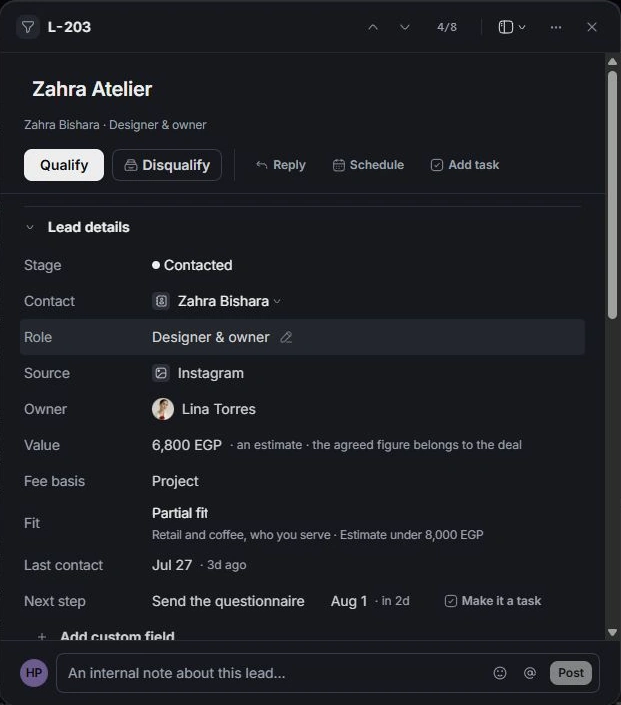
Open the full page
Use the record’s Open link or page action when offered. Projects, clients and documents have richer pages; leads and deals use their record inspector for their core workflow. An invoice opens in a document-style preview.
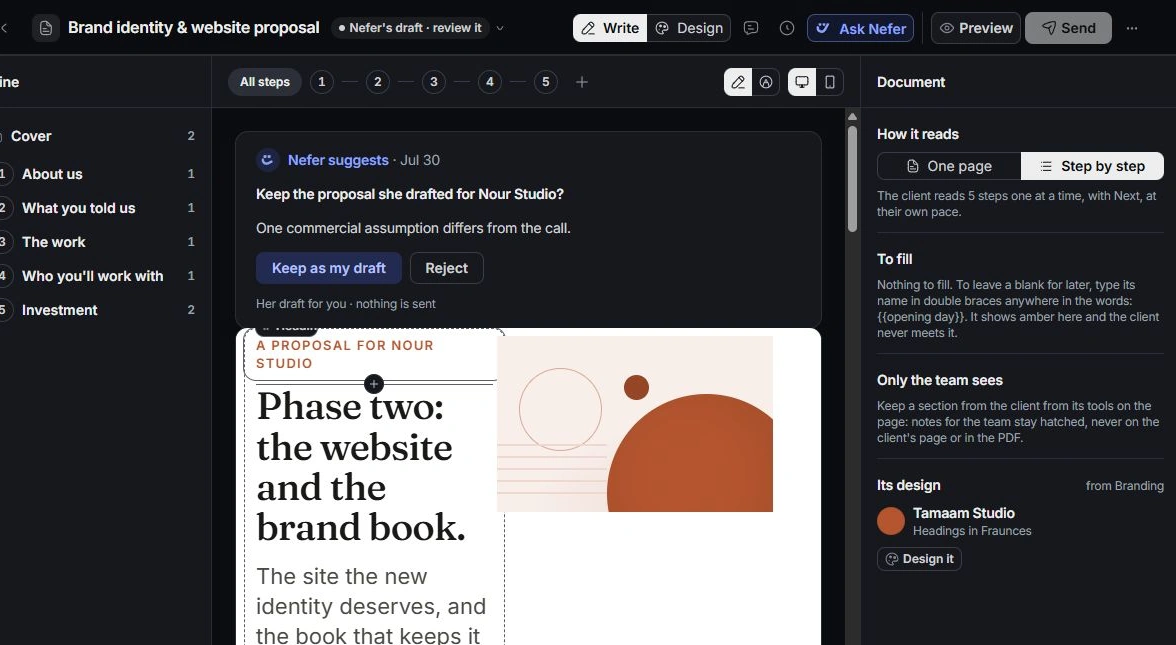
Choose where it opens
Where it opens on an inspector provides its available placement options. Choose the layout that lets you compare the record with the list. If an expected action is missing, check the record type, current status and your access.
Need a clarification? Tell us what you were trying to do below.
Was this article helpful?
Need help with your workspace?
A support request lets the team reply to you directly.
Get help with this article