
Set your workspace branding
Set the logo, accent color and shared signature block that clients see.
On this page
Open Settings → Branding
Review the preview under How clients see you. Branding applies across client-facing surfaces such as booking pages, documents and the client page; your personal theme is maintained separately in Profile.
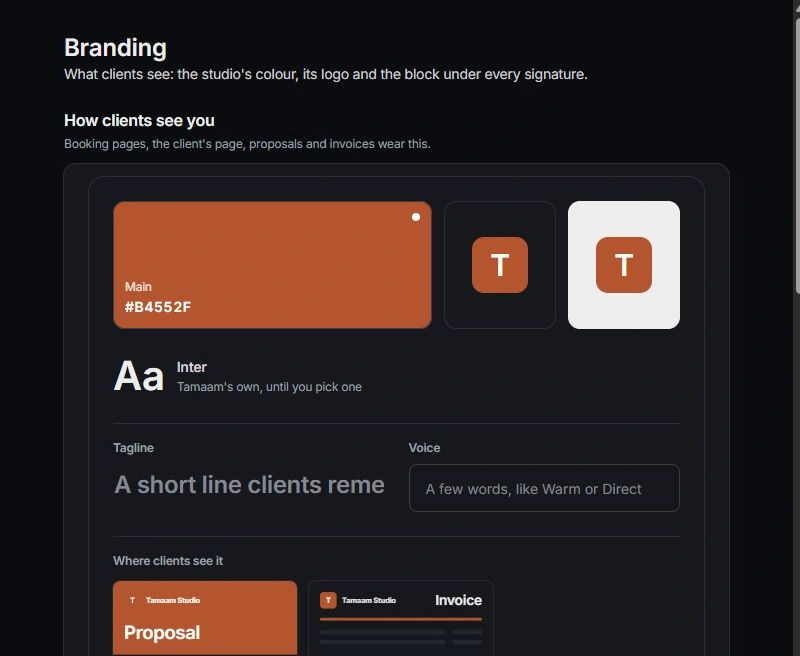
Choose color and logo
Review The studio’s colour and Logo. Use a legible mark and a color with clear contrast. Check the preview rather than choosing a color only from its swatch.
Review booking and signature choices
Check On every booking page to understand when the shared accent overrides a booking page’s own choice. Review The studio’s block under signatures; each person’s own name, title and phone are separate.
Preview the client result
Open a representative document, form or booking page and inspect its own design settings. A surface can retain local choices, so verify the actual result on computer and phone before sharing it.
Need a clarification? Tell us what you were trying to do below.
Was this article helpful?
Need help with your workspace?
A support request lets the team reply to you directly.
Get help with this article