
Manage client contacts
Review everyone involved with an account and add missing people to Contacts.
On this page
Read People at the client
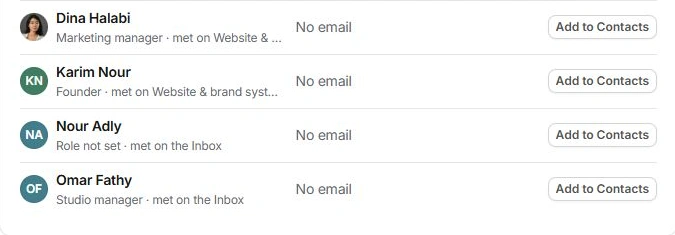
Open People. The list combines known contacts, people associated with projects and people found in account conversations. Read each person’s role, whether they are the primary contact, last contact and where they were encountered. Appearing here does not necessarily mean a directory record already exists.
Add the right person
- Search the existing list.
Check the person’s name, company and role before creating a duplicate.
- Use Add to Contacts for a known missing person.
Review who the row identifies. Add all is available when several people are missing; inspect the entire set first.
- Use Add person for a new person.
Enter Name, Their role and a complete email when available. The client company is carried into Contacts.
- Review Contact in Client settings.
Adding someone does not necessarily make them the primary contact. Choose the intended main contact separately.

Keep the detail in Contacts
Open a linked person to inspect their directory record. Correct the company, role and contact details there. Client relationship fields and a contact’s directory classification answer different questions; do not use a new client account just to record a supplier or collaborator.
Keep contact records separate from invitations
Adding a person to Contacts is an information-management action. Review project sharing and portal controls separately when someone needs access to delivery work. Confirm the intended audience before sending a message or sharing a link.
Need a clarification? Tell us what you were trying to do below.
Was this article helpful?
Need help with your workspace?
A support request lets the team reply to you directly.
Get help with this article