
Manage templates and document settings
Maintain reusable material and the defaults that govern client documents and approvals.
On this page
Open the right settings
Open Documents settings from the module, or Settings → Modules → Documents. Document settings opened from a single document apply to that document; check the scope before changing a default.
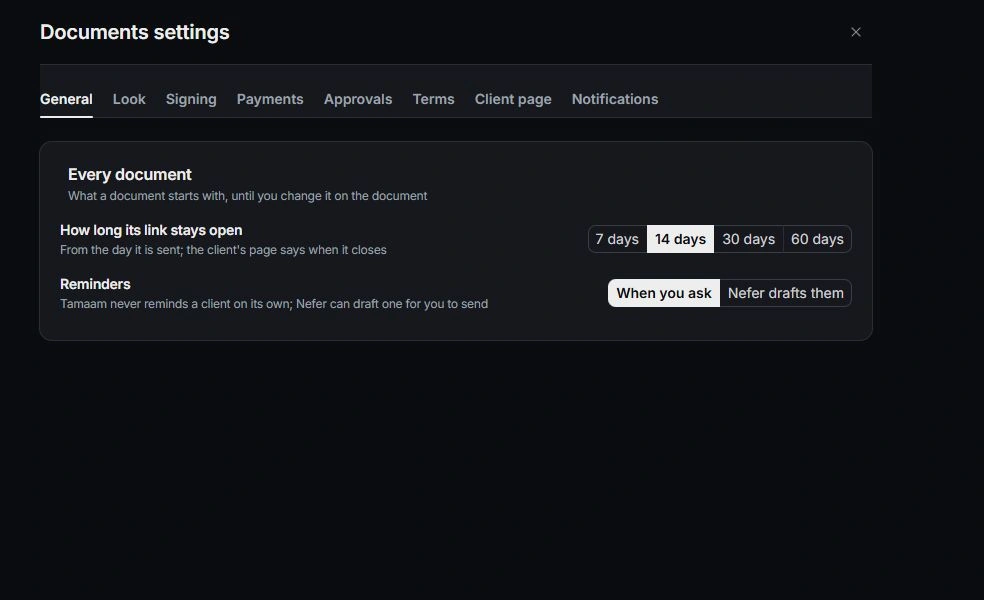
Review the client-facing defaults
Review General, Look, Signing, Payments, Terms and Client page. Check link duration, payment terms, deposit, signing behavior and client-page options. Read the explanation beside each control before changing it.
Keep approval rules clear
Open Approvals to review who approves and which conditions require review, such as agreements, discounts, value or deposit thresholds. The owner maintains these rules; other teammates should follow the indicated approval path.
Maintain templates and notifications
Use the template library to keep shared starting content current. Review Notifications for document events and personal notification settings for where those events reach you. Preview a representative document after changing its look or terms.
Need a clarification? Tell us what you were trying to do below.
Was this article helpful?
Need help with your workspace?
A support request lets the team reply to you directly.
Get help with this article