
Use the task inspector
Read and edit one task, follow related records and keep your place in the work list.
On this page
Open and move between records
- Select a task row or card.
The task opens in an inspector beside the current work.
- Confirm the task.
Read its title, ID, project and client. Use Previous record and Next record to move within the current record order.
- Choose where the inspector opens.
Use Where it opens to select the available placement. This changes your reading arrangement, not the task.
- Close to return to the view.
Close dismisses the inspector. The task remains in the view unless its new properties exclude it.
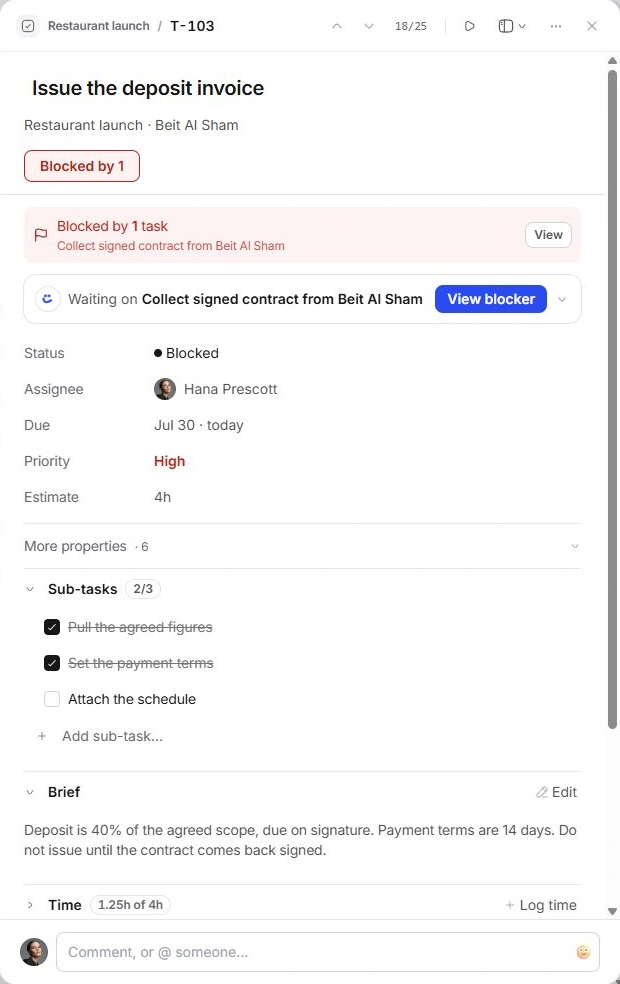
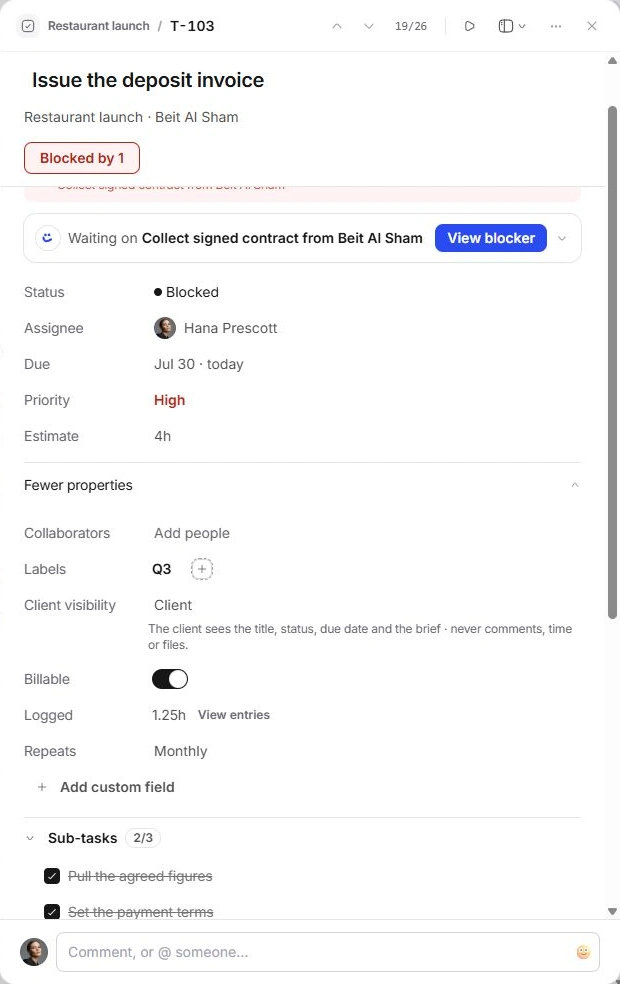
Read Task details and More properties
Task details keeps Status, Assignee, Due, Priority and Estimate close. More properties expands Collaborators, Labels, Client visibility, Billable, Logged, Repeats and custom fields. Click an editable value to open its picker.
The responsible assignee is separate from collaborators. Estimate is planned effort; Logged is recorded time. Billable marks how time is classified, rather than creating an invoice. Client visibility is separate from the internal team discussion.
When Client visibility is Client, the UI describes the shared subset as title, status, due date and brief. Comments, time and files stay outside that described subset. Do not assume changing this field has sent an invitation or published a portal.
Follow the evidence and conversation
Expand Where this came from when the task has a source. Brief holds working instructions. Linked connects related records; named project and client controls let you inspect their context.
Sub-tasks, Dependencies, Files, Comments and Activity each answer a different question. Sections remember their disclosure state through the session, so a folded heading may be hiding useful detail. Expand it before deciding that information is absent.
Use record actions
| Action or setting | Action and destination | What to check |
|---|---|---|
| Add to Favourites | Inspector → More | Pins a shortcut to this record in the sidebar; remove it through the same menu. |
| Duplicate | Inspector → More | Creates a copy with a new ID. The copy starts its own history and does not inherit the original’s logged time or held Nefer draft. |
| Delete task | Inspector → More | Removes the record and closes its inspector. Use the change notice’s Undo if needed. |
| Copy link | Inspector → More | The current control reports that a shareable record link is not yet available; use the task’s title and ID to identify it. |
Need a clarification? Tell us what you were trying to do below.
Was this article helpful?
Need help with your workspace?
A support request lets the team reply to you directly.
Get help with this article