
Update a stage or expected close
Move an opportunity through the permitted stages and keep its expected-close date realistic.
On this page
Change the deal stage
Open the deal’s stage control or move its board card. Proposal moves through Negotiating before Contract out. Won is available from Contract out. Disabled choices explain why a move cannot happen yet.
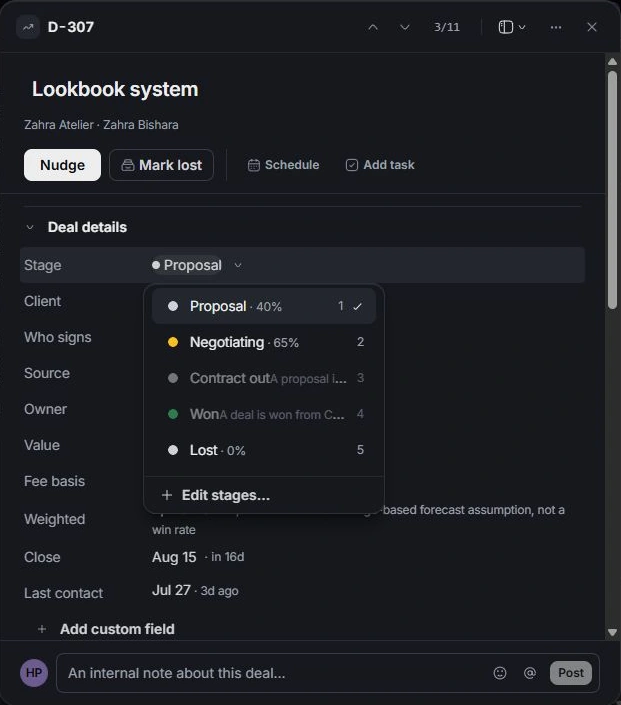
Update Close
Open Close and choose the date the team expects the commercial decision. This date drives pipeline timing; it is distinct from a project delivery date or an invoice due date.
Record why it changed
Update the brief or discussion when negotiation changes the scope, timing or decision. Keep Value and Scope lines aligned. A changed expected close should reflect the client conversation rather than simply pushing an overdue card forward.
Check the view and forecast
Confirm the stage and date after the update. The deal may move out of the current view or reporting period. If its value seems missing, clear filters and inspect the opportunity before creating another record.
Need a clarification? Tell us what you were trying to do below.
Was this article helpful?
Need help with your workspace?
A support request lets the team reply to you directly.
Get help with this article