
I cannot find a record
Check search scope, views, lifecycle stages and access before creating a duplicate record.
On this page
Confirm the workspace and record type
Check the workspace name and account, then decide whether you need a client, contact, lead, deal, project or task. Similar names can represent different stages of the same client work.
Search with fewer restrictions
Use workspace Search for a distinctive part of the name. Open the owning module and clear its search text and filters. Review the active sidebar view and ownership scope.
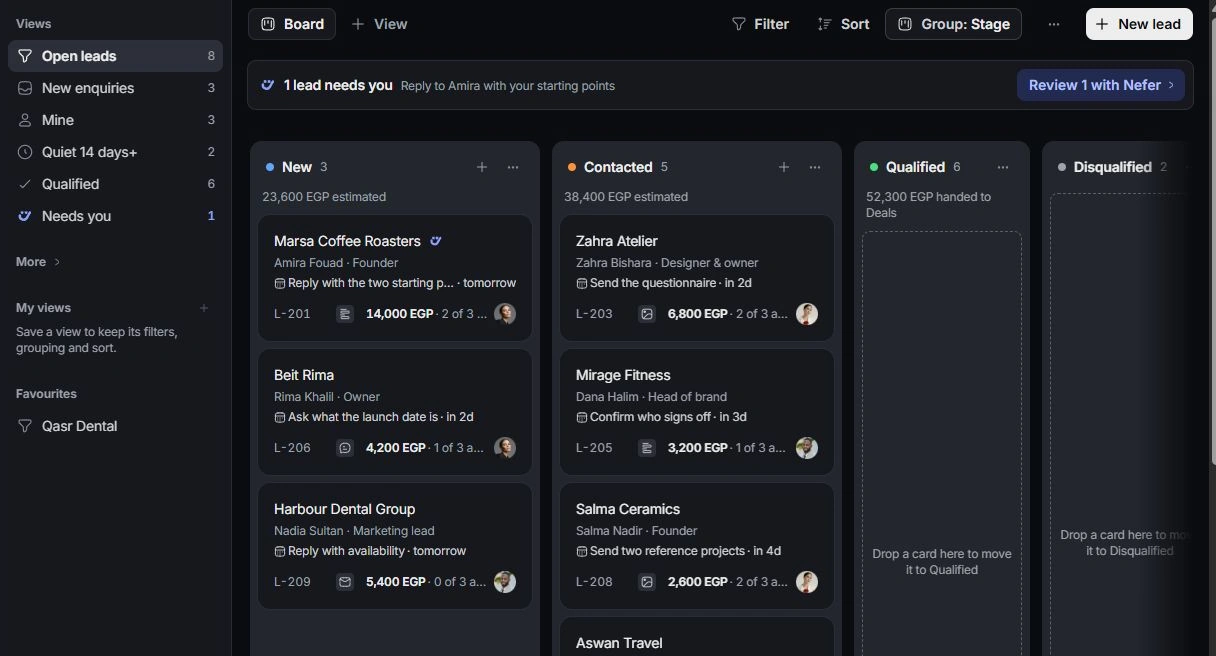
Check completed and changed work
Look in the relevant Qualified, Won, Lost, Completed or archived view. A record can leave an open-work view after a stage change. Follow a known linked record when it provides a route to the missing item.
Check access and ask for help
Ask an owner to review membership, role and record responsibility if a colleague can see it. Contact support with the module, record identifier and the search or filters you tried. Do not create a replacement until you establish whether the original exists.
Need a clarification? Tell us what you were trying to do below.
Was this article helpful?
Need help with your workspace?
A support request lets the team reply to you directly.
Get help with this article