
Manage Inbox settings and access
Find the right settings and distinguish mailbox, shared-inbox and conversation access.
On this page
Open the settings that own the change
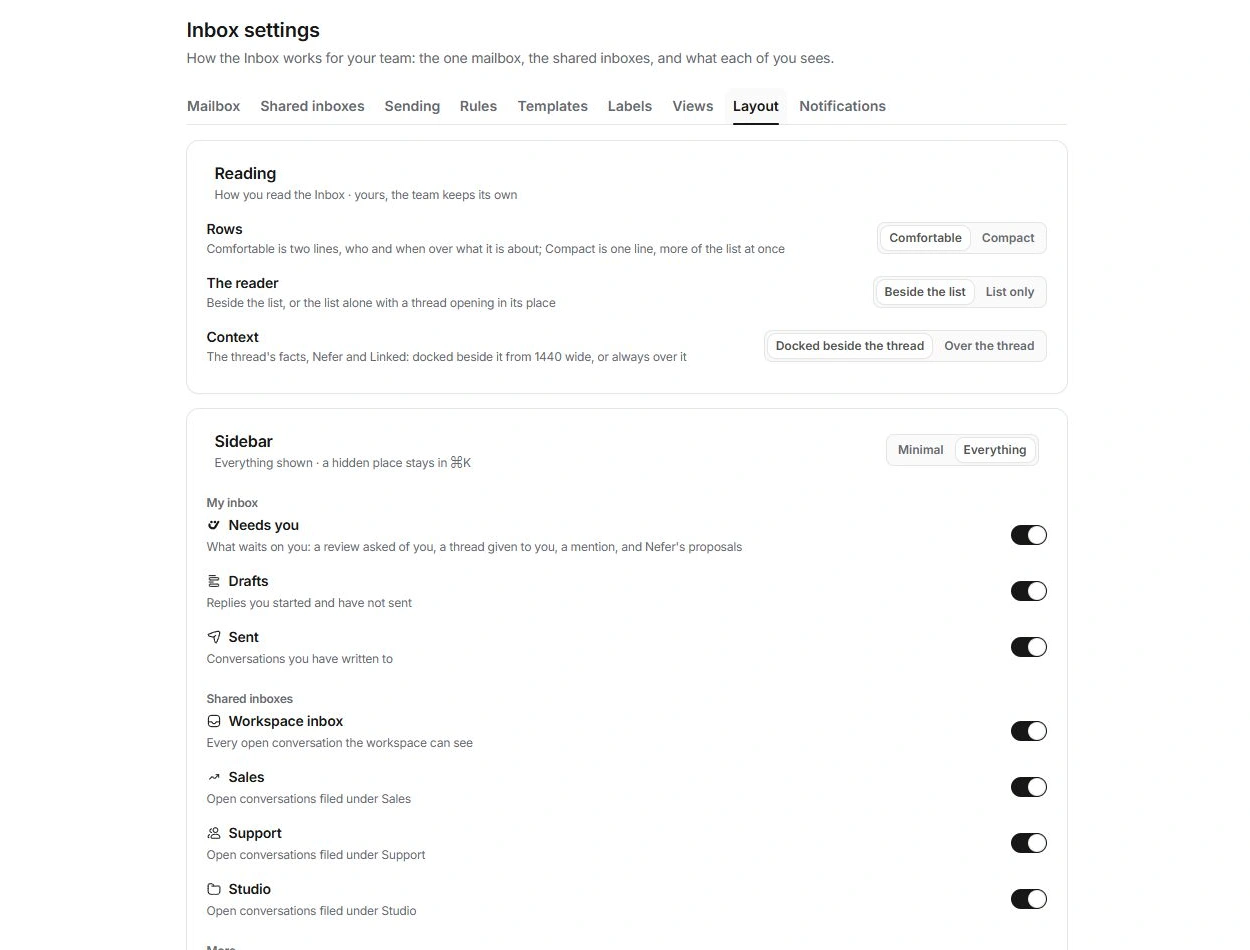
Choose Inbox settings at the foot of the module sidebar. The tabs are Mailbox, Shared inboxes, Sending, Rules, Templates, Labels, Views, Layout and Notifications. These controls belong to Inbox; general profile and account notification delivery live in workspace settings.
Use the specific tab rather than changing unrelated settings to troubleshoot a thread. For example, a missing sender identity belongs under the mailbox or shared inbox, while an incomplete signature belongs under Sending.
Review access to one conversation
- Open the conversation.
Read its current shared inbox and owner.
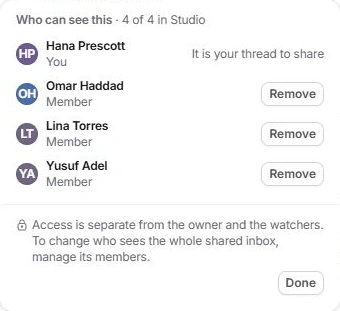
- Choose Context → Access or More actions → Who can see this….
The access panel lists current viewers and any people removed from this thread.
- Review the reason beside a protected person.
You cannot remove yourself through this control, and the owner must be reassigned first.
- Use Remove or Restore deliberately.
Check the resulting access list. For whole-inbox membership, manage the shared inbox instead.
Ownership and watching are separate
An owner answers for the work. A watcher follows it. Access decides whether someone can open the conversation. Neither assignment nor a copied link should be used as a substitute for checking access.
Removing someone from a conversation also affects eligible mentions and reviewers for that thread. Check those workflows after a sensitive access change.
Verify changes at their destination
Settings may update directly or use a sheet with Save. Read the confirmation and use Undo when offered. Review the actual shared inbox or thread after changing membership. Contact an owner if a setting is unavailable to your role.
Need a clarification? Tell us what you were trying to do below.
Was this article helpful?
Need help with your workspace?
A support request lets the team reply to you directly.
Get help with this article