
Open a module’s settings
Open the settings owned by a module and distinguish workspace defaults from an individual record.
On this page
Use Settings → Modules
Open Settings and choose Modules. Select the tab for Inbox, Calendar, Tasks, Projects, Clients, Leads and deals, Forms, Finance or Documents. Read the tab title to confirm the destination.
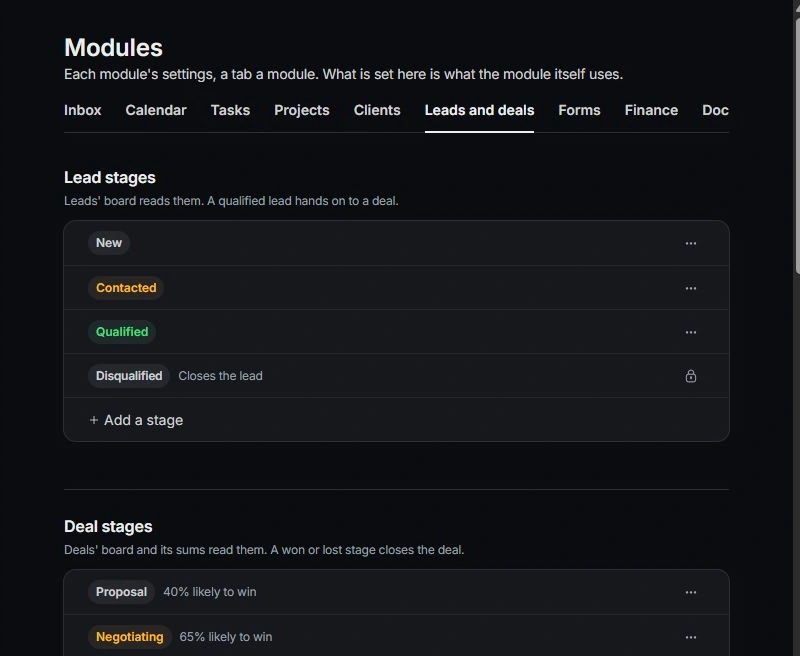
Use a module’s own settings entry
A settings link in the module provides another route to the controls relevant to that work. Some specialized settings remain inside the module’s own page or dialog.
Check what the setting affects
Read whether the control changes a workspace default, a personal preference or a single record. For example, a form’s settings concern that form, while document defaults and approval rules apply more broadly.
Verify the result where it is used
After changing a default, inspect a representative record or create flow. Existing records may retain their own values. Ask an owner if the control is restricted; do not change an unrelated setting merely because it is editable.
Need a clarification? Tell us what you were trying to do below.
Was this article helpful?
Need help with your workspace?
A support request lets the team reply to you directly.
Get help with this article