
Read Nefer’s business brief
Ask focused business questions and trace each answer back to pipeline, delivery or money records.
On this page
Choose a business question
On Hub, choose the tile for money, pipeline, projects, the team or documents. Each opens an answer to that question. State the period and scope when asking a more specific question in Nefer’s bar.
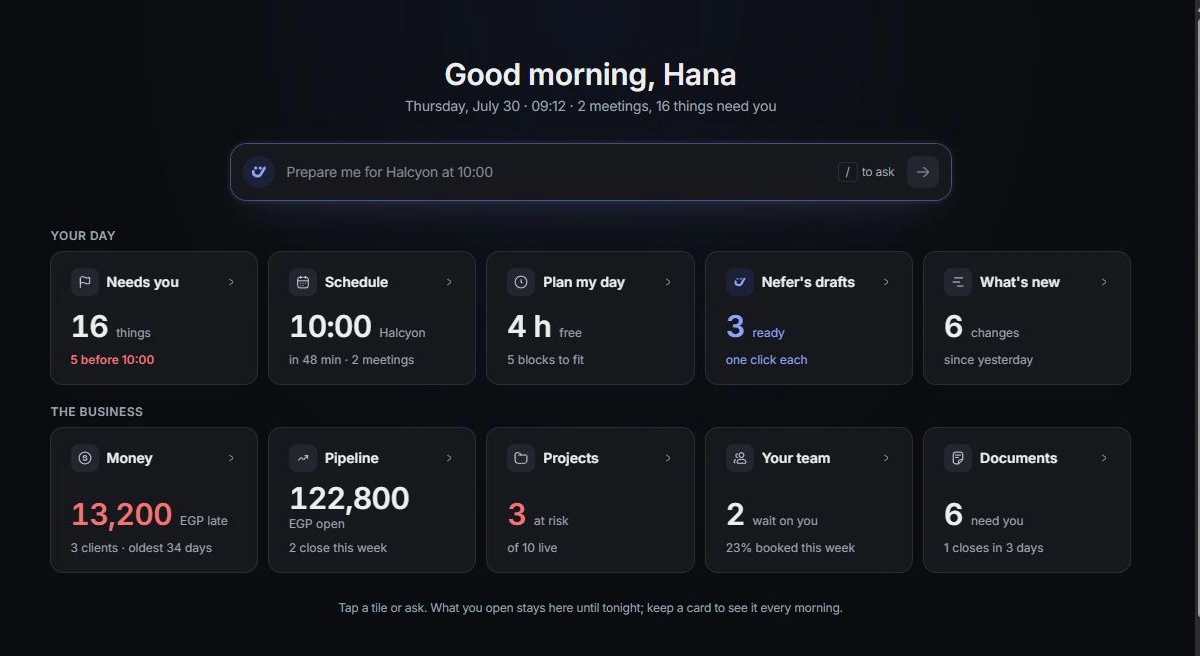
Read the figures with their meaning
Check whether an answer describes outstanding money, forecast pipeline, delivery risk or capacity. These answer different questions. A likely sales amount is not money collected, and a workload estimate is not a completed timesheet.
Open the supporting work
Follow named invoices, opportunities, projects and documents. Check their current status and dates before acting on a summary. If the source disagrees with the answer, correct the source or clarify the question.
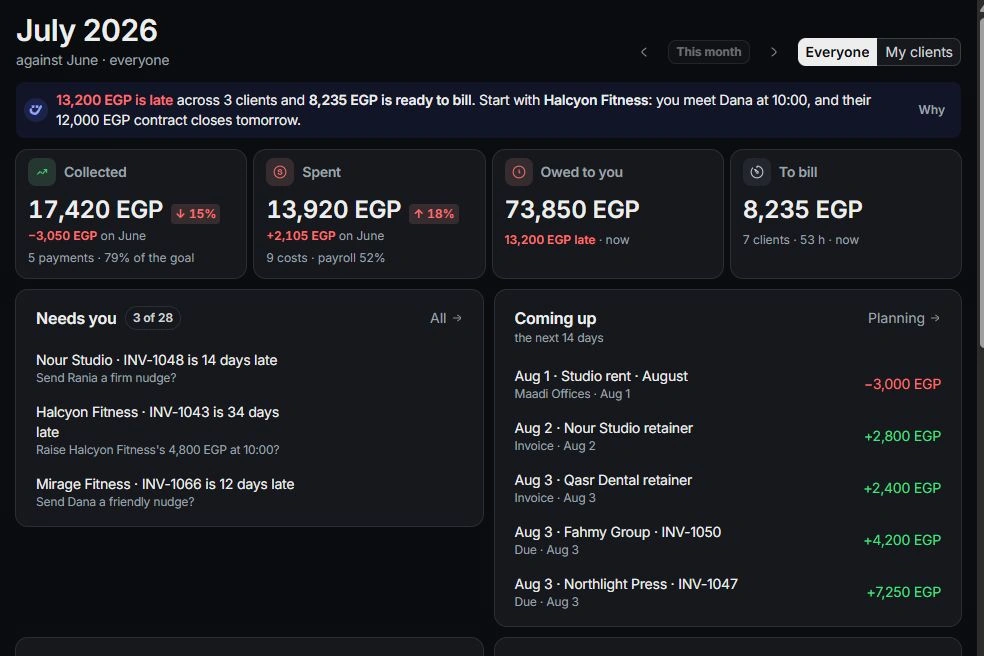
Develop the next step
Continue in chat for follow-up questions, or open the owning module to act. Review prepared drafts and proposed changes individually. Use the morning-brief preferences in Settings → Nefer to review how the brief fits your routine.
Need a clarification? Tell us what you were trying to do below.
Was this article helpful?
Need help with your workspace?
A support request lets the team reply to you directly.
Get help with this article