
Preview and share a booking page
Check the client flow, understand reserved links and prepare QR, embed and signature options.
On this page
Review the client experience
- Open the page editor.
Check the current Draft or Ready state.
- Switch Phone and Desktop.
Read the title, meeting length, place, language and the information a visitor will see.
- Choose Open as the client sees it.
Walk through Time, Details and Confirmed. Confirm the time zone and which answers are required.
- Review confirmation content.
Review the confirmation content, invitations, reminders, rescheduling and cancellation options.
Prepare sharing materials
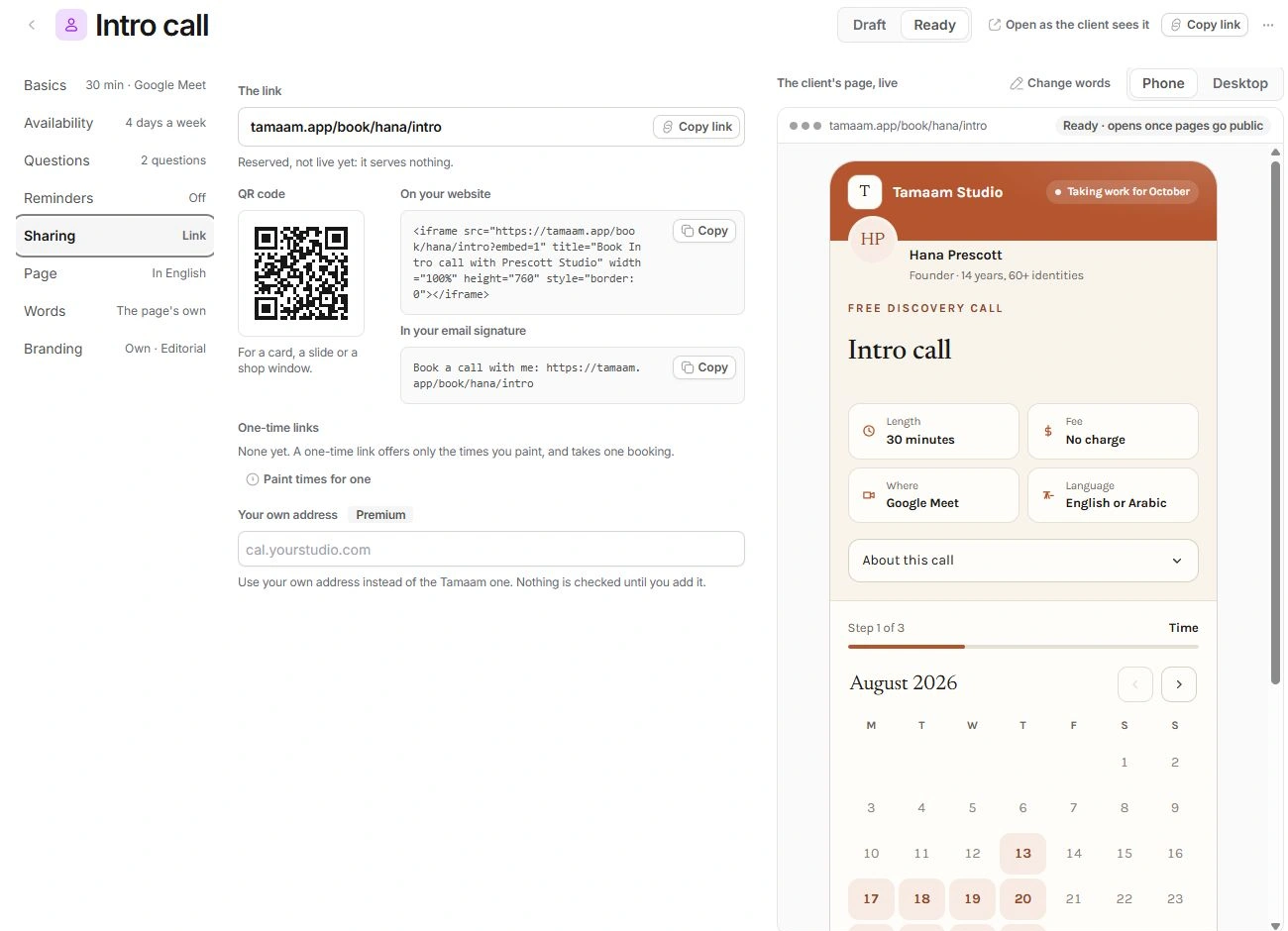
Sharing contains The link, a QR code, an On your website iframe and an In your email signature line. Copy link in the page header is unavailable for a draft. Set the page to Ready before expecting that control to be enabled.
Open Sharing to review the booking address, copy the link or prepare a QR code. Check the page status and visitor experience before sharing.
Review embed and custom-address choices
The website embed is a code snippet intended for the site that will host the booking experience. A signature line is text for a separate email-signature setting; copying it does not update anyone’s signature automatically.
Your own address is a Premium option. A typed custom domain is not a verified DNS or hosting connection. Verify the custom address before sharing it with clients.
Check before external use
- Verify page state, available times and required questions.
- Check the exact destination address in copied material.
- Review the visitor experience at its intended size and language.
- Confirm that the endpoint actually serves the live booking flow, rather than relying on its presence in the editor.
Need a clarification? Tell us what you were trying to do below.
Was this article helpful?
Need help with your workspace?
A support request lets the team reply to you directly.
Get help with this article