
A field or response is missing
Check field conditions, definition versions and response views before rebuilding or resubmitting.
On this page
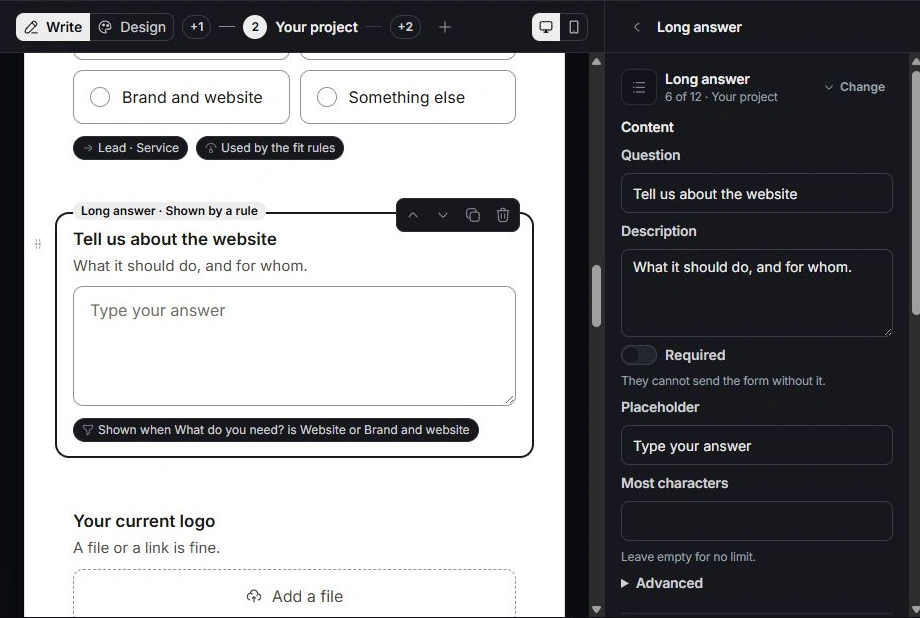
Find the question in Build
Use Outline to locate the step and field. Check whether you are editing the working definition while the public form still uses an earlier published version. Review a hidden question’s Logic, the earlier answers it reads and any branch that skips its step.
Find the submission in Responses
Clear search, Filter and Group restrictions. Check Incomplete, Spam and Test as well as New and Converted. A respondent who started but did not submit can be in a different set; compare the source and version before deciding the record is absent.
Compare the answered version
Open the response and inspect its version and Answers by step. Adding or removing a question later does not change what the person originally answered. Repair a deleted-question rule or an obsolete option reference in the builder, then preview and publish the correction.
Escalate with useful context
Contact support with the form code, response code when available, selected view and expected question or outcome. Share the steps needed to reproduce it. Exclude respondents’ private contact details and full answer contents from the initial message.
Need a clarification? Tell us what you were trying to do below.
Was this article helpful?
Need help with your workspace?
A support request lets the team reply to you directly.
Get help with this article