
Read booking analytics and Calendar insights
Understand booking performance and the studio’s meeting work without mixing different reporting periods.
On this page
Open booking Analytics
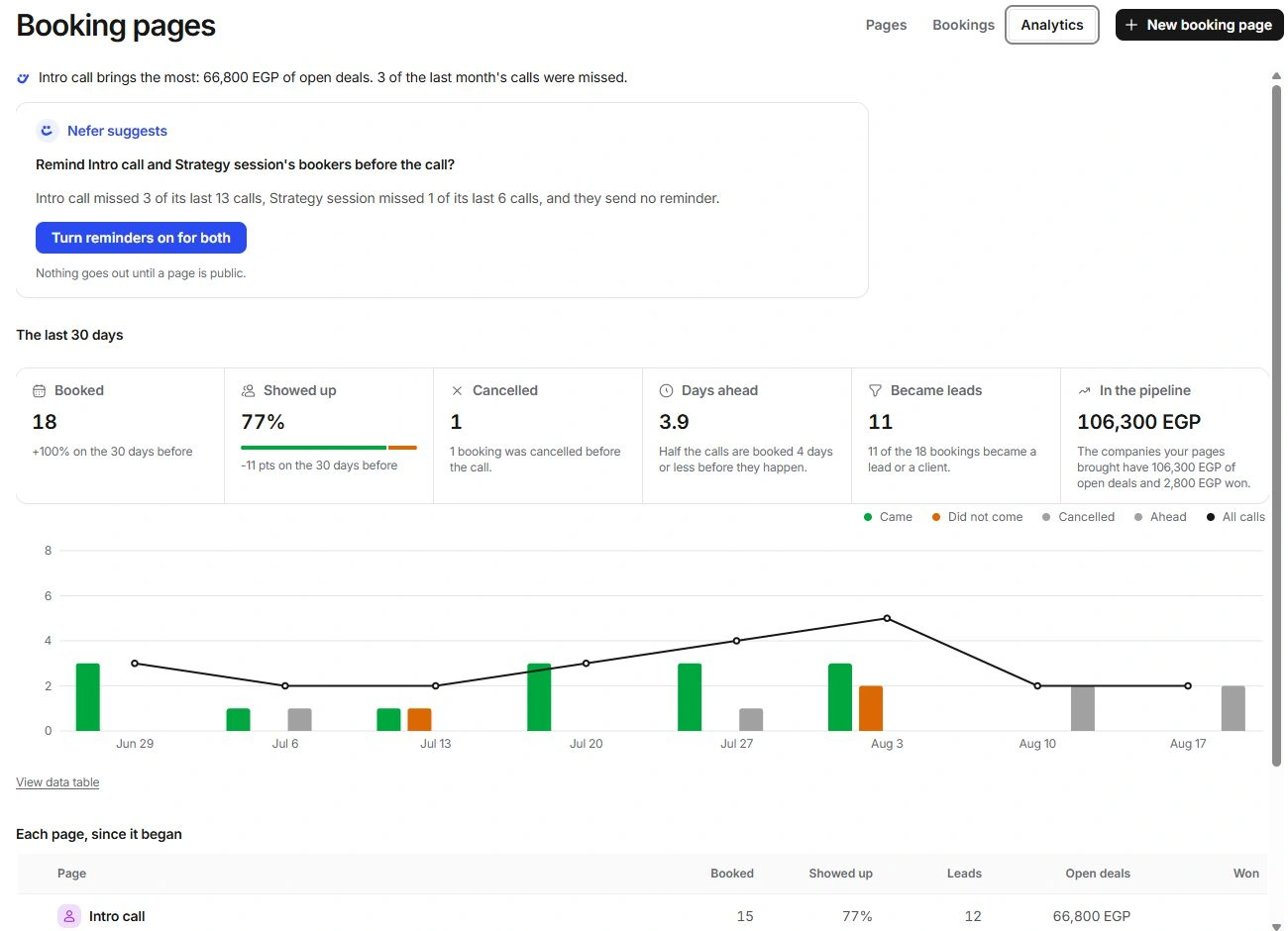
Choose Booking pages → Analytics. The top summary uses The last 30 days, with comparisons where available. Read the period before quoting a change.
Booked counts reservations. Showed up describes recorded attendance. Cancelled is different from a no-show. Days ahead describes how far in advance people reserve. Became leads and pipeline values connect bookings to relationship and deal records.
A call that is over with no outcome is not yet included in the show-rate decision. Record its outcome in Bookings or Needs you before treating the rate as complete.
Inspect the trend and individual pages
Calls by week separates came, did not come, cancelled and ahead, with a line for all calls. Toggle a series or inspect a period when you need to understand the total. Use View data table for the underlying values.
Each page, since it began uses a different period from The last 30 days. Do not compare those totals as if they share the same date range. Open the relevant page before changing reminders based on a missed-call pattern.
Read studio Insights
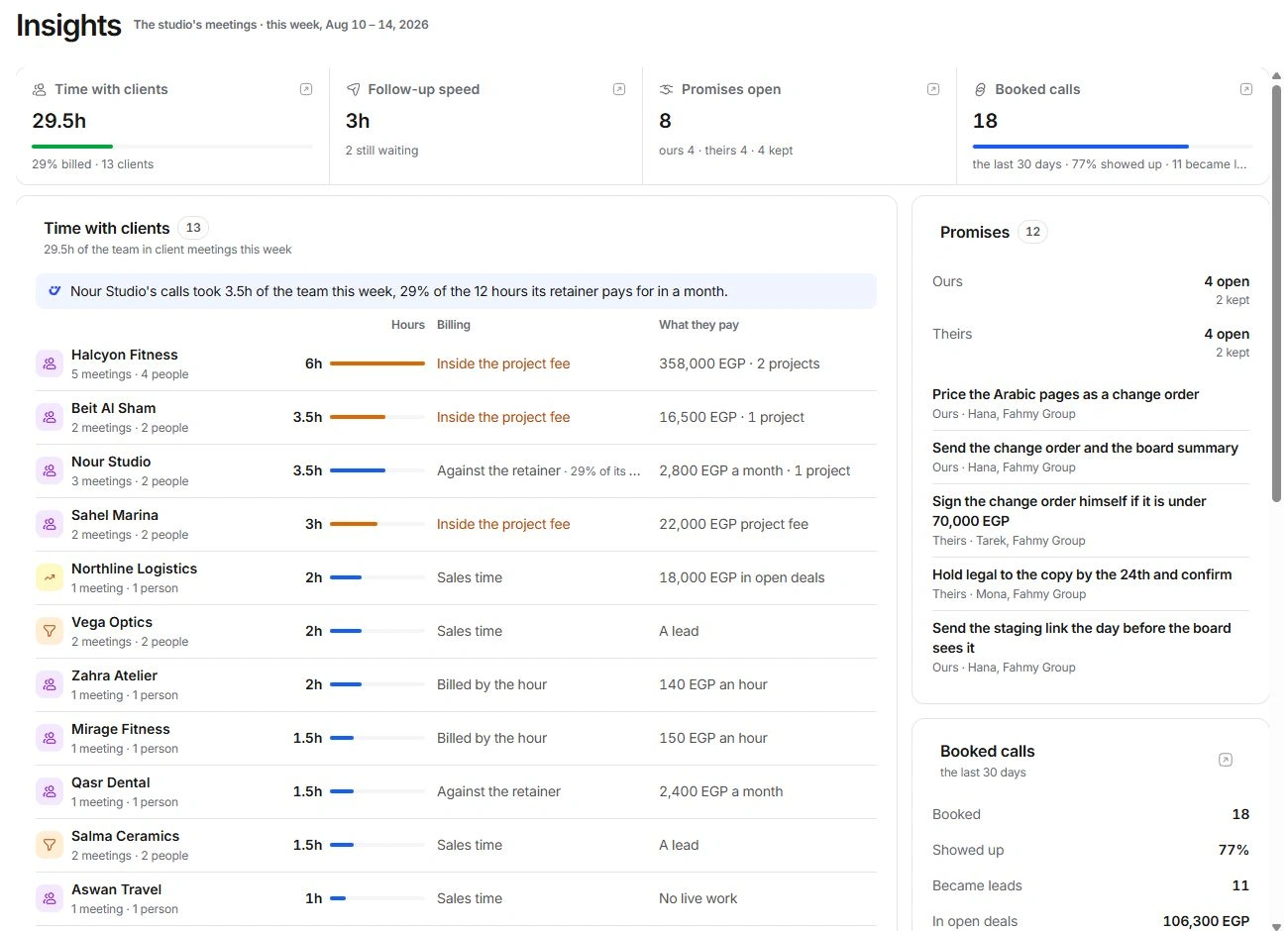
Insights in the Calendar sidebar covers the studio’s meeting activity. Time with clients connects team time to billing context. Follow-up speed concerns the interval after a call. Promises separates the team’s commitments from clients’ commitments. Booked calls adds booking context.
Open a figure or named client to inspect what it counts. Meeting hours, billable time, open deal value and collected revenue are different measurements. A meeting-derived suggestion is not a confirmed invoice or received payment.
Use numbers as a route to decisions
- Read the period and definition beside each figure.
- Inspect missing outcomes and unidentified contacts before interpreting a total.
- Open the records behind a signal, especially money or scope.
- Review a proposed reminder change and the affected booking page before applying it.
Need a clarification? Tell us what you were trying to do below.
Was this article helpful?
Need help with your workspace?
A support request lets the team reply to you directly.
Get help with this article