
Prepare client emails and meetings
Start a conversation or meeting with the right person and account context.
On this page
Prepare an email
- Choose New → Email or Email in People.
Check which contact is selected; opening a person’s email action can target that individual.
- Review the actual email recipient.
A preferred phone or WhatsApp channel is not a substitute for a valid email address.
- Review subject, context and wording.
Prepared reminders and check-ins need the same review as a new message.
- Continue in Inbox.
Check the saved draft and send only after confirming the intended audience and commitments.
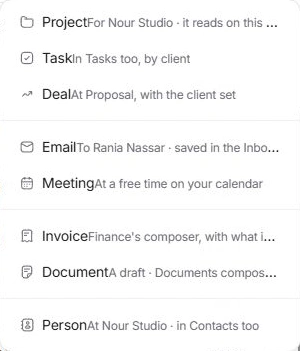
Prepare a meeting
Use New → Meeting or People → Schedule. Review the Calendar form’s date, time, time zone, attendees and account or project context. An available slot is a starting point; check the participants before confirming.
Read the conversation before replying
People → Conversations and meetings brings threads and meetings together. Open the relevant thread or meeting rather than beginning an unrelated message when the context already exists. A client can have several contacts with different responsibilities.
When the person or address is wrong
Correct the contact record and review the composer again. Do not treat an internal note as an external reply, or a saved draft as evidence of contact. Use the Inbox and Calendar guides for detailed composing and scheduling steps.
Need a clarification? Tell us what you were trying to do below.
Was this article helpful?
Need help with your workspace?
A support request lets the team reply to you directly.
Get help with this article