
Search and filter contacts
Find the right person or company using directory facts and a useful saved view.
On this page
Choose the correct directory view
Everyone is the full starting point. Known by me focuses your relationships; People and Companies separate record types. At clients narrows by the client classification. More includes Suppliers & collaborators and Not linked. Needs you contains proposed detail updates.
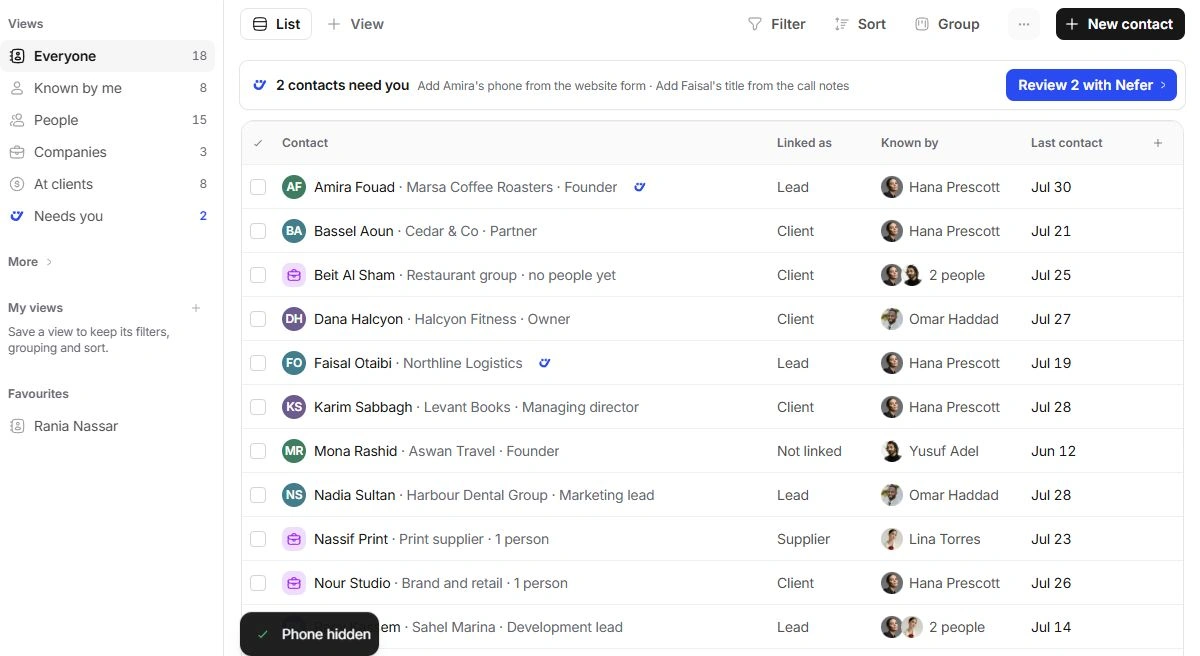
Narrow the list deliberately
- Use Search contacts.
Search a distinctive name, company, role or known detail.
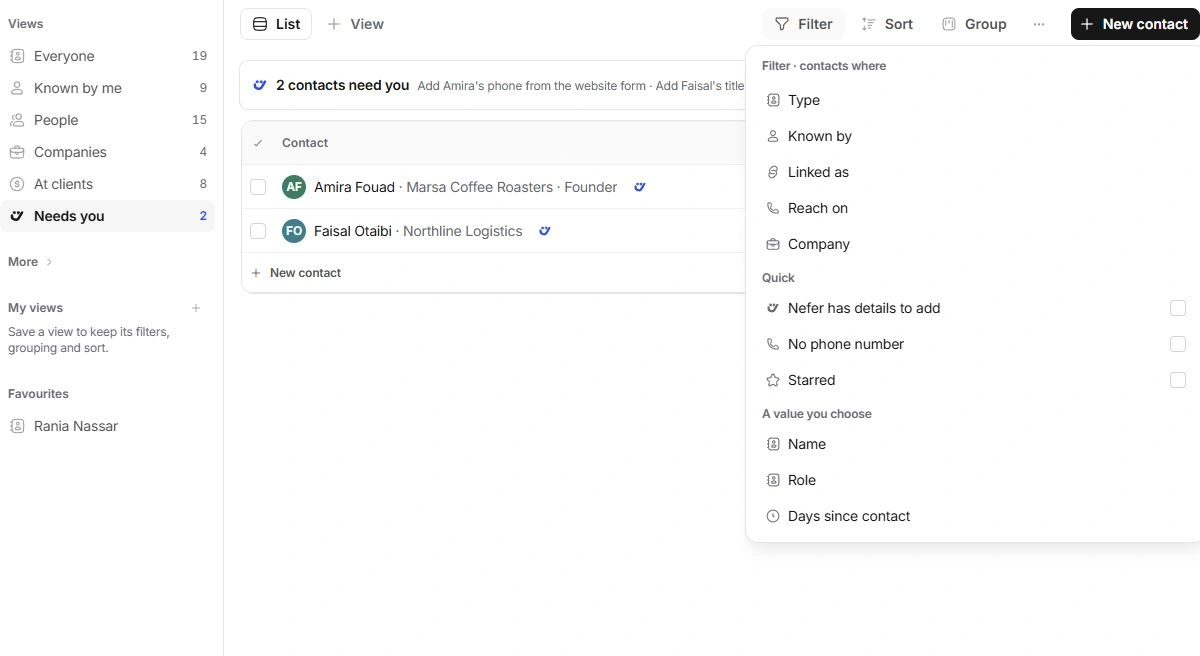
- Open Filter.
Use Type, Known by, Linked as, Reach on or Company. Quick flags include No phone number, Starred and Nefer has details to add.
- Review Group and Sort.
Group by Company, Type, First letter, Reach on or Known by. Choose a sort that fits the question.
- Use Save this view.
Keep a useful arrangement after checking its filters and intended scope.
Choose columns for the job
Display controls visible properties, density and title wrapping. Company, Role and Reach on are optional columns alongside contact details and relationship fields. Hiding a column changes the view; it does not erase the contact’s value.
When a contact is absent
Return to Everyone, clear search and filters and expand folded groups. Check whether the record is a Person or Company and whether Known by me excludes it. Review the client’s People page for a person not yet added to Contacts.
Need a clarification? Tell us what you were trying to do below.
Was this article helpful?
Need help with your workspace?
A support request lets the team reply to you directly.
Get help with this article