
Review a client’s projects and tasks
Follow an account into its projects and daily tasks without losing delivery context.
On this page
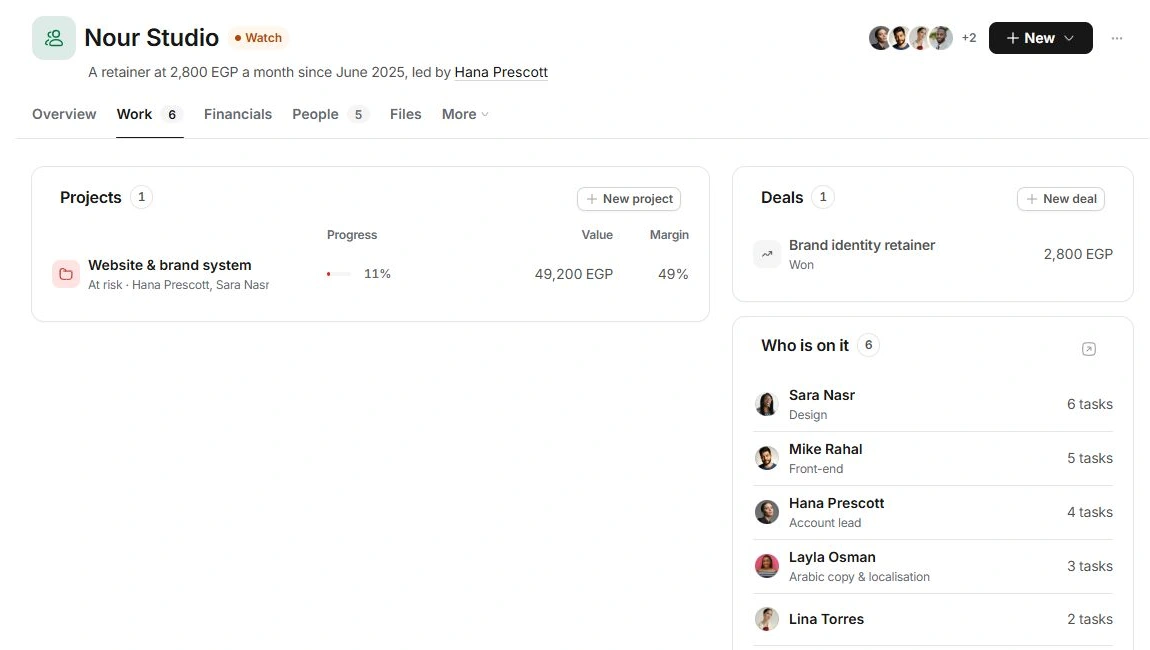
Read Projects in Work
Open Work. Projects shows each engagement’s stage, health, task progress, value and forecast margin where available. Open a project to see its plan, deliverables and financial detail. A percentage describes completed tasks, not client approval or money collected.
Review the client’s Tasks
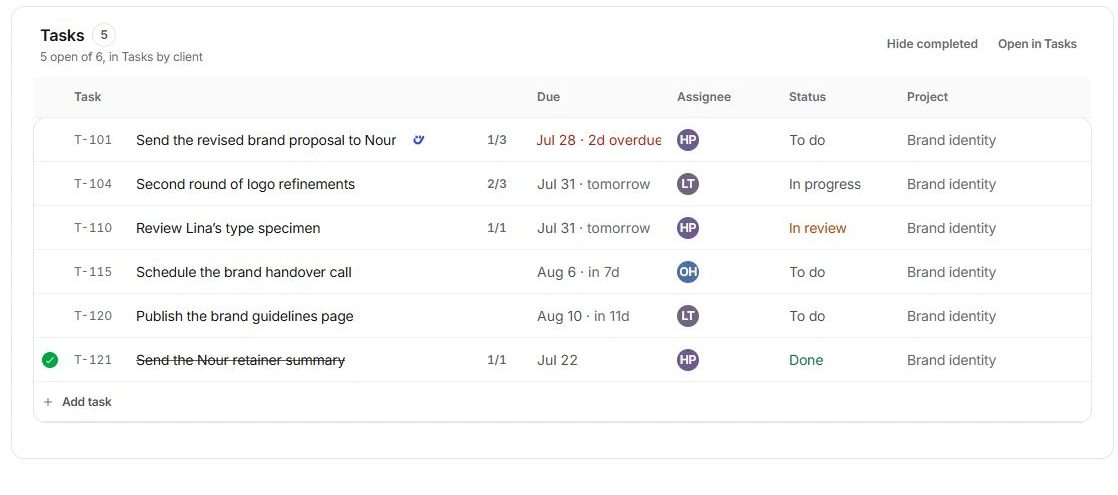
- Read due date, assignee, status and project together.
Check the Project column before changing a task with a similar title.
- Open the task inspector.
Inspect its brief, subtasks and dependencies before making a change.
- Check Hide completed.
Use Show completed when a finished task seems missing.
- Use Open in Tasks for the wider list.
The client page and Tasks refer to the same work; avoid making a second copy.
Check the two levels of work
A project’s own delivery detail lives on its project page. The account view also includes client-associated Tasks records. If a delivery task is absent here, inspect the project’s Work page before assuming it was deleted.
Add the next record deliberately
Use New → Project, Task or Deal. A project is the delivery plan; a task is a specific action; a deal is proposed future work. Choose the correct type and verify the client and project in its form.
Need a clarification? Tell us what you were trying to do below.
Was this article helpful?
Need help with your workspace?
A support request lets the team reply to you directly.
Get help with this article