
Review project budget and time
Read contract value, collected money, effort and margin without mixing their meanings.
On this page
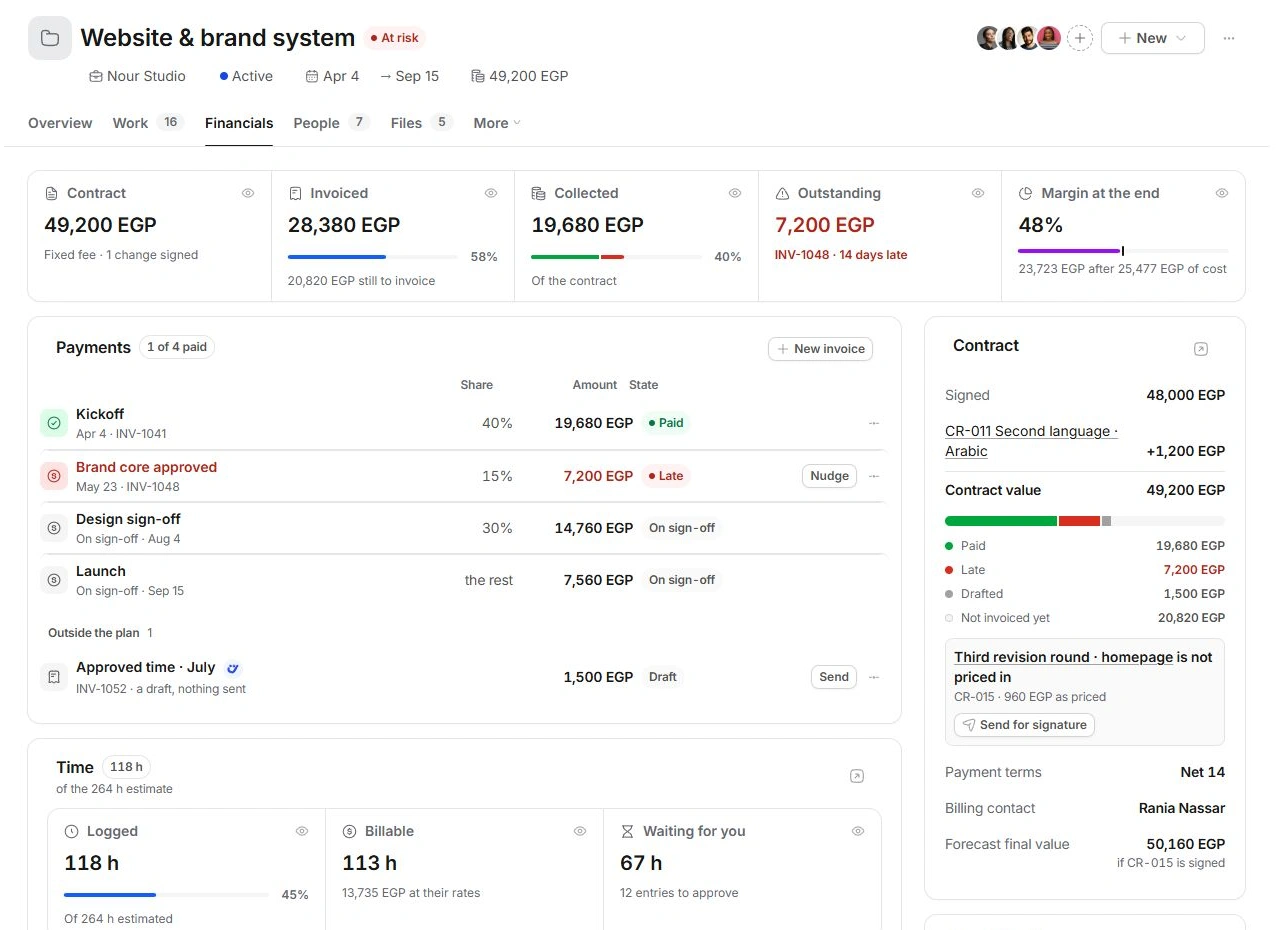
Read Financials from left to right
Open Financials. Contract is the agreed value, including signed changes. Invoiced is money raised in invoices, Collected is recorded payment, and Outstanding is what remains due. Read invoice states and due dates before interpreting the total.
Margin at end is a forecast based on revenue, costs and remaining effort. It is not the current bank balance or cash already received.
Compare time with the estimate
Time shows logged hours against the estimate and separates billable work from entries waiting for approval. Open the task or entry behind an unexpected amount. Approved time and invoiced time have different states; an existing invoice reference helps you avoid billing the same work twice.
Separate signed fees from possible changes
The Contract card shows the base agreement and signed changes. Forecast final value can include a pending change if it is signed; read its qualification. A proposed or priced change is not evidence of client acceptance.
Correct the underlying record
Review Estimate and Hourly rate in Project settings, the task's logged entries, vendor costs and invoice links. Do not change the contract simply to improve a margin percentage. Use Finance's Time and billing or Profitability links for the wider financial context.
Need a clarification? Tell us what you were trying to do below.
Was this article helpful?
Need help with your workspace?
A support request lets the team reply to you directly.
Get help with this article