
Understand the weighted forecast
Understand how stage weighting and expected-close dates affect an opportunity forecast.
On this page
Start with the unweighted value
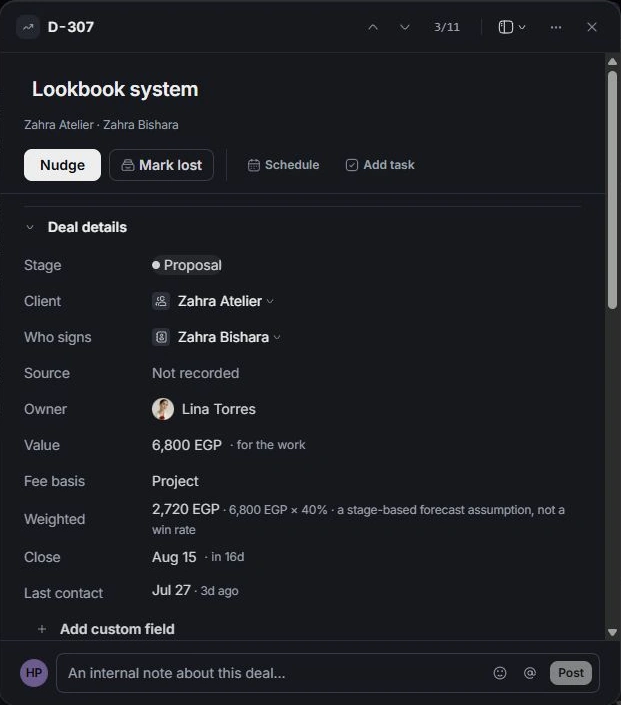
Open the deal to read its full Value. This is the opportunity amount the team is discussing. Check Fee basis and scope so a retainer amount is not mistaken for an unrelated project total.
Read the stage assumption
The weighted figure applies the stage’s forecast assumption to the deal value. Read the arithmetic shown in the deal rather than treating the weight as a measured likelihood for that client.
Check the reporting window
Close determines when an opportunity is expected to move. Filters, owner selections and open-versus-closed stages can change which deals contribute to a view. Compare like-for-like periods before drawing conclusions.
Trace money to Finance
A weighted forecast is planning context. Use Finance for invoices, payments and collected money. Use the agreement’s recorded status to check the commercial commitment. Correct a misleading forecast by fixing the deal’s value, stage or close date at its source.
Need a clarification? Tell us what you were trying to do below.
Was this article helpful?
Need help with your workspace?
A support request lets the team reply to you directly.
Get help with this article