
Contact Tamaam support
Open a support request with useful context and retain its reference for follow-up.
On this page
Open Contact support
Choose Contact support from Help or open the support contact page. Starting from an article can carry its title and issue into the form so you do not need to describe the guide again.
Complete the required fields
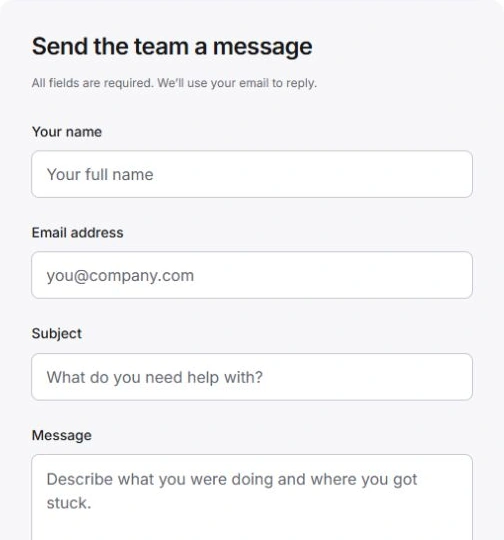
Enter Your name, Email address, Subject and Message. Describe the page and step, what you expected and what happened instead. Include a record identifier when useful, but leave out passwords, invitation codes and private client information.
Send and keep the reference
Choose Send message and wait for Your request is saved. Keep the Request reference. The confirmation identifies the reply address. If notification is pending, use Retry notification on the same saved request rather than creating a duplicate.
Choose feedback or support appropriately
Article feedback helps the team improve a guide. The contact form opens a request the team can reply to. Use the form for account-specific help and follow up with the saved reference. The current support contact is hi@tamaam.io.
Need a clarification? Tell us what you were trying to do below.
Was this article helpful?
Need help with your workspace?
A support request lets the team reply to you directly.
Get help with this article