
Create a client document draft
Prepare a proposal, agreement or report with the account linked from the start.
On this page
Prepare the document
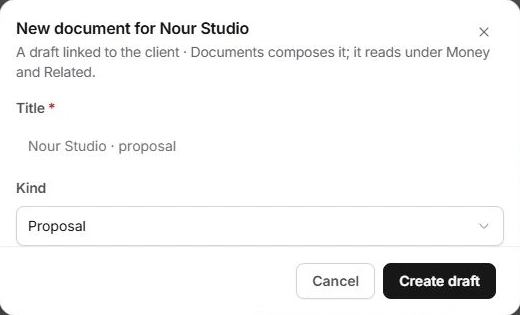
- Choose New → Document or Files → New document.
Confirm that the form names the intended client.
- Enter Title and Kind.
Choose the type that matches the purpose of the record, rather than using a generic file name for every document.
- Choose Create draft.
Find the record under Files → Documents and open it in Documents to compose the content.
Review the agreement and audience
Check account details, project links, scope, amounts and recipient before sharing or requesting acceptance. Creating the draft does not demonstrate client agreement. Read the document’s actual state before reporting a proposal as signed.
If the document is missing
Check Files and the Documents module using its title and client. Inspect whether a draft already exists before creating another. An uploaded attachment and an authored document are separate records and can have different states.
Need a clarification? Tell us what you were trying to do below.
Was this article helpful?
Need help with your workspace?
A support request lets the team reply to you directly.
Get help with this article