
Review document status and history
Read the document’s current state alongside versions, client activity and internal review.
On this page
Check the current document
Open the document and read its state, owner, version and linked work. Compare it with Drafts, With clients or Completed in the library. A completed outcome can differ by document kind.
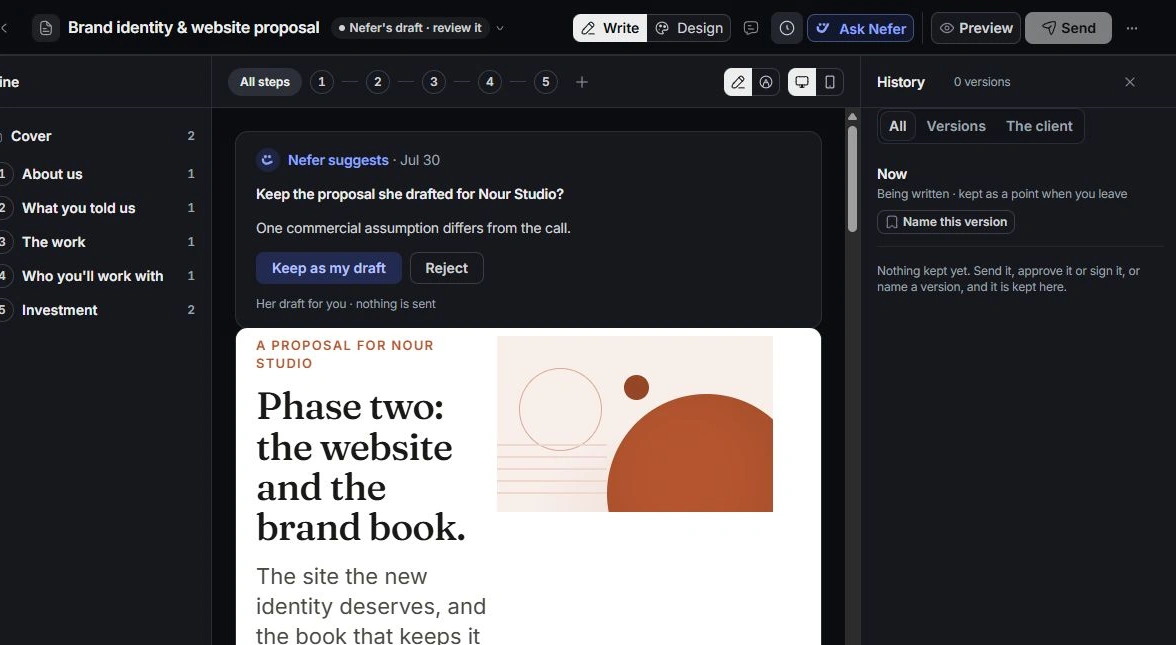
Open History
Choose History in the editor toolbar. Review the versions and recorded activity, including client events where present. Use the history filters to distinguish content versions from other activity.
Keep internal review separate
Open Notes for team review and unresolved comments. Resolve the content issue on the intended version. Internal notes are not the same as a client question or a signed outcome.
Verify the outcome at its source
Read the recorded acceptance, signature or payment details on the relevant document and linked Finance record. If a document changed after a review, inspect the version again before sharing or claiming the earlier approval covers it.
Need a clarification? Tell us what you were trying to do below.
Was this article helpful?
Need help with your workspace?
A support request lets the team reply to you directly.
Get help with this article