
I cannot open a module
Distinguish an access block from an empty view or an incorrect workspace.
On this page
Check the signed-in context
Open the account menu and verify the intended account and workspace. If you were invited with another address, ask the owner to inspect that invitation rather than creating a second workspace.
Check the destination
Use the workspace navigation to open the module. Read any visible error or disabled-control explanation. If the module opens but has no rows, clear the current search and filters first.
Ask an owner to review access
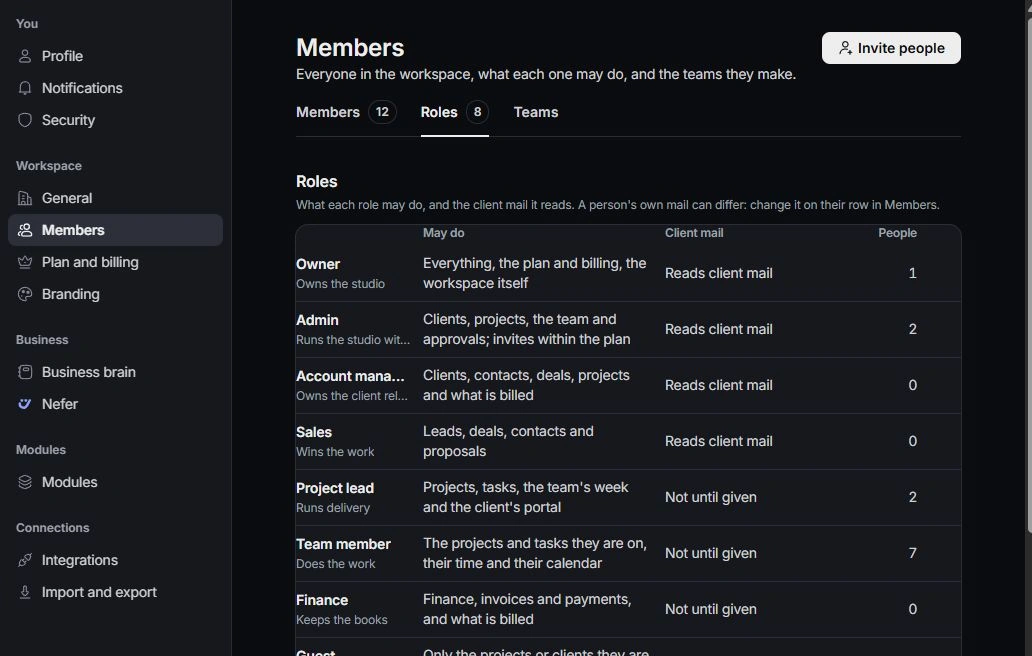
The owner should inspect Settings → Members and Roles, relevant record assignments and client-mail access where applicable. Request the access needed for the work rather than a broad role change.
Escalate a persistent block
Contact support with the route, visible message, expected module and the checks already made. Exclude passwords, invitation codes and private client material. Keep the request reference so the team can follow the same issue.
Need a clarification? Tell us what you were trying to do below.
Was this article helpful?
Need help with your workspace?
A support request lets the team reply to you directly.
Get help with this article