
Read project activity
Find a change, narrow the history and open the record behind it.
On this page
Find the relevant history
- Open More → Activity.
If an additional section is already selected, choose its named tab to select Activity.
- Set the range.
Choose This week for a recent handoff or Everything for the full history.
- Choose a kind.
Filter by Work, Money, Email, Meetings or On the record. Prepared by Nefer isolates the relevant preparation history.
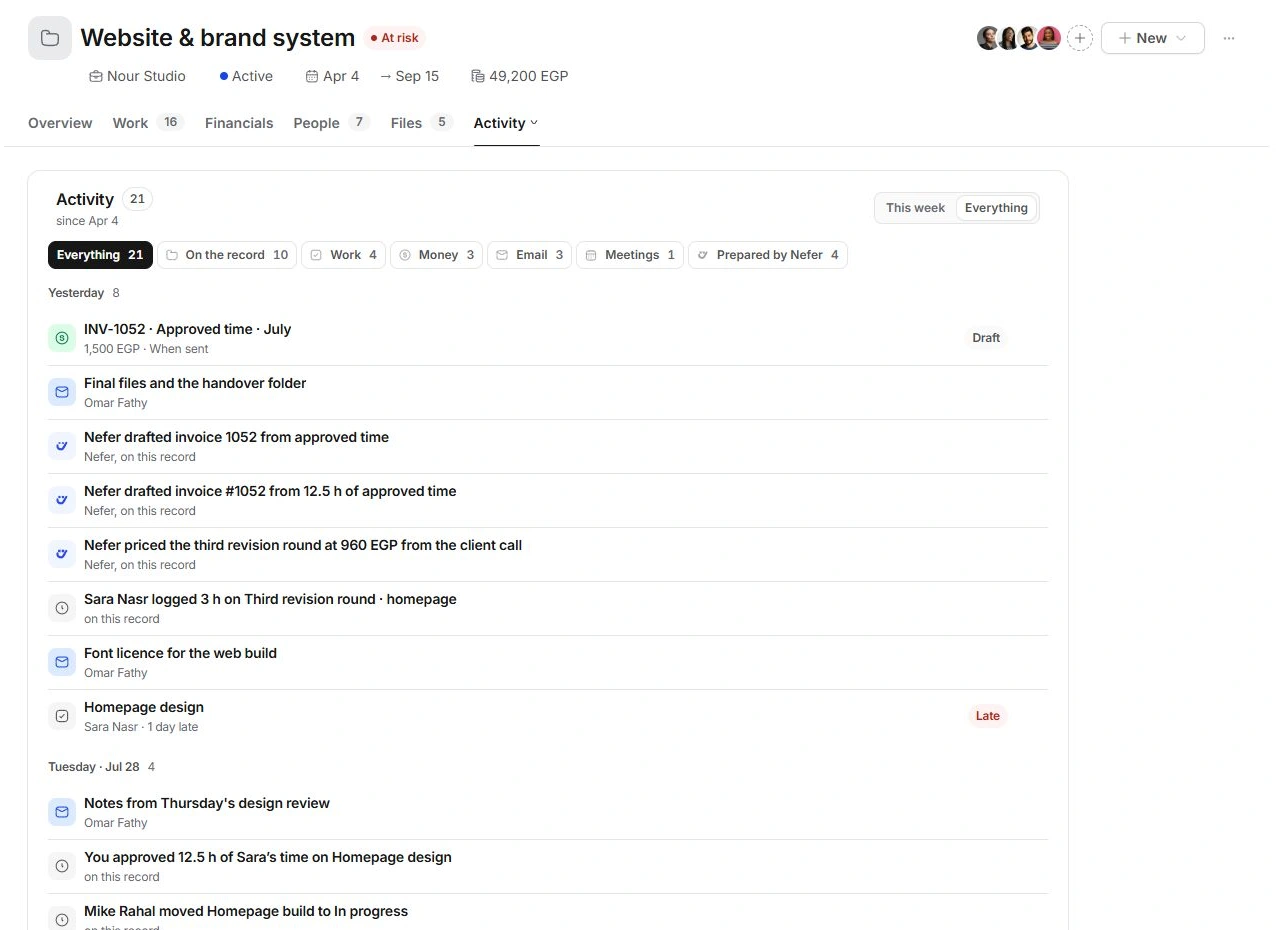
Read newest first
Activity groups events by day. Read the event's title, person, context and state together. An invoice entry marked Draft is not a sent invoice or a payment. Upcoming meetings and unfinished future actions belong in the plan rather than being evidence of completed work.
Open the original
Select the event when it has a linked record. Tasks open in the task inspector; emails, meetings and financial records open in their respective modules. Read the source before changing it.
When an event is absent
Clear the kind filter and widen the range. Check whether you are looking for a comment, a future action or a completed event. Comments remain in Overview. If a record's actual history is wrong, contact support with the project code, record and expected change.
Need a clarification? Tell us what you were trying to do below.
Was this article helpful?
Need help with your workspace?
A support request lets the team reply to you directly.
Get help with this article