
Understand contacts and clients
Choose the right record for a person, an organisation or a commercial relationship.
On this page
Contacts is the directory
Contacts keeps people and companies side by side. A person has a name, company, role and contact details. A company has its own record and the people associated with it. Person records use initials; a company can use a chosen mark.
Clients holds the engagement, account leads, money and relationship signals. A company in Contacts does not automatically become a paying client account.
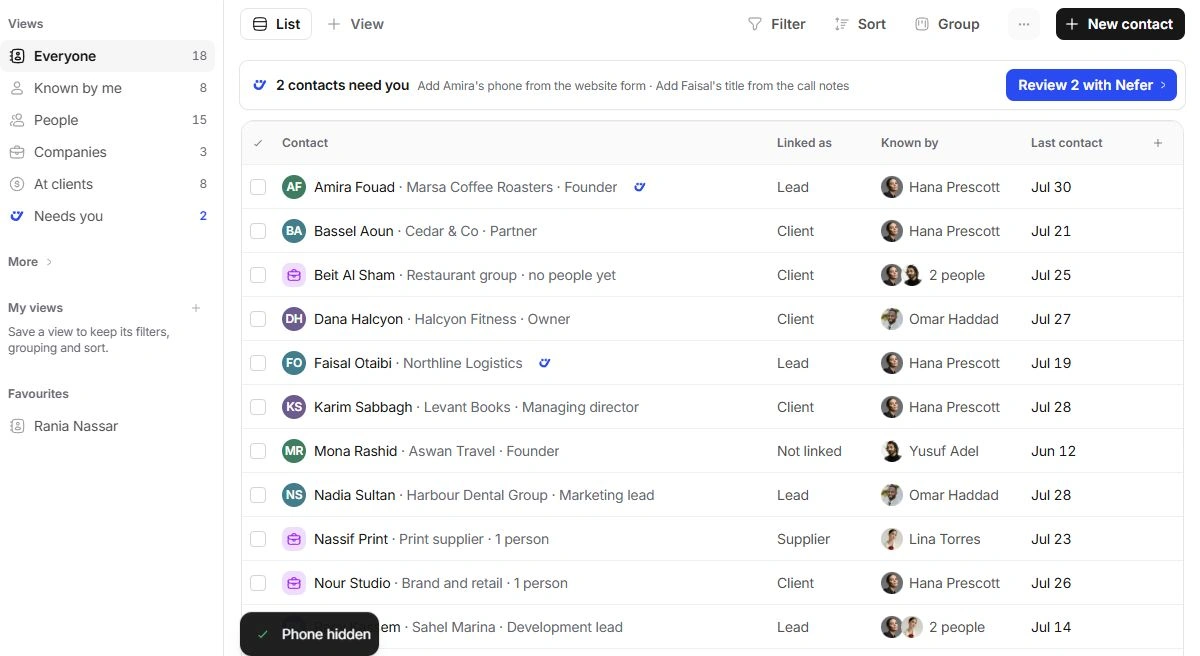
Read Type, Company and Linked as separately
Type identifies Person or Company. Company connects a person with an organisation the workspace knows. Linked as describes their relationship to the studio: Client, Lead, Supplier, Collaborator, Employee or Not linked. These are directory facts, not sales or delivery stages.
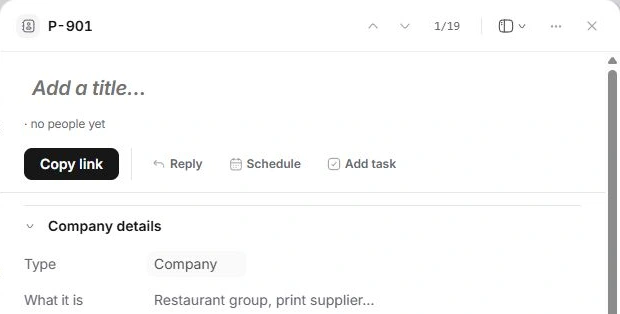
Known by is a relationship reference
Known by identifies teammates who know the contact. It is separate from an account lead, task assignee or project owner. A contact keeps at least one person who knows them.
Choose the owning record for the action
Correct a title or phone number in Contacts. Review an invoice on the client or Finance. Manage an opportunity in Leads or Deals, and delivery on the project. Use existing relationships to move between them rather than making duplicate accounts.
Need a clarification? Tell us what you were trying to do below.
Was this article helpful?
Need help with your workspace?
A support request lets the team reply to you directly.
Get help with this article