
Manage scope and change requests
Keep the agreement, revision allowance and proposed extra work in one place.
On this page
Read the agreement in Scope
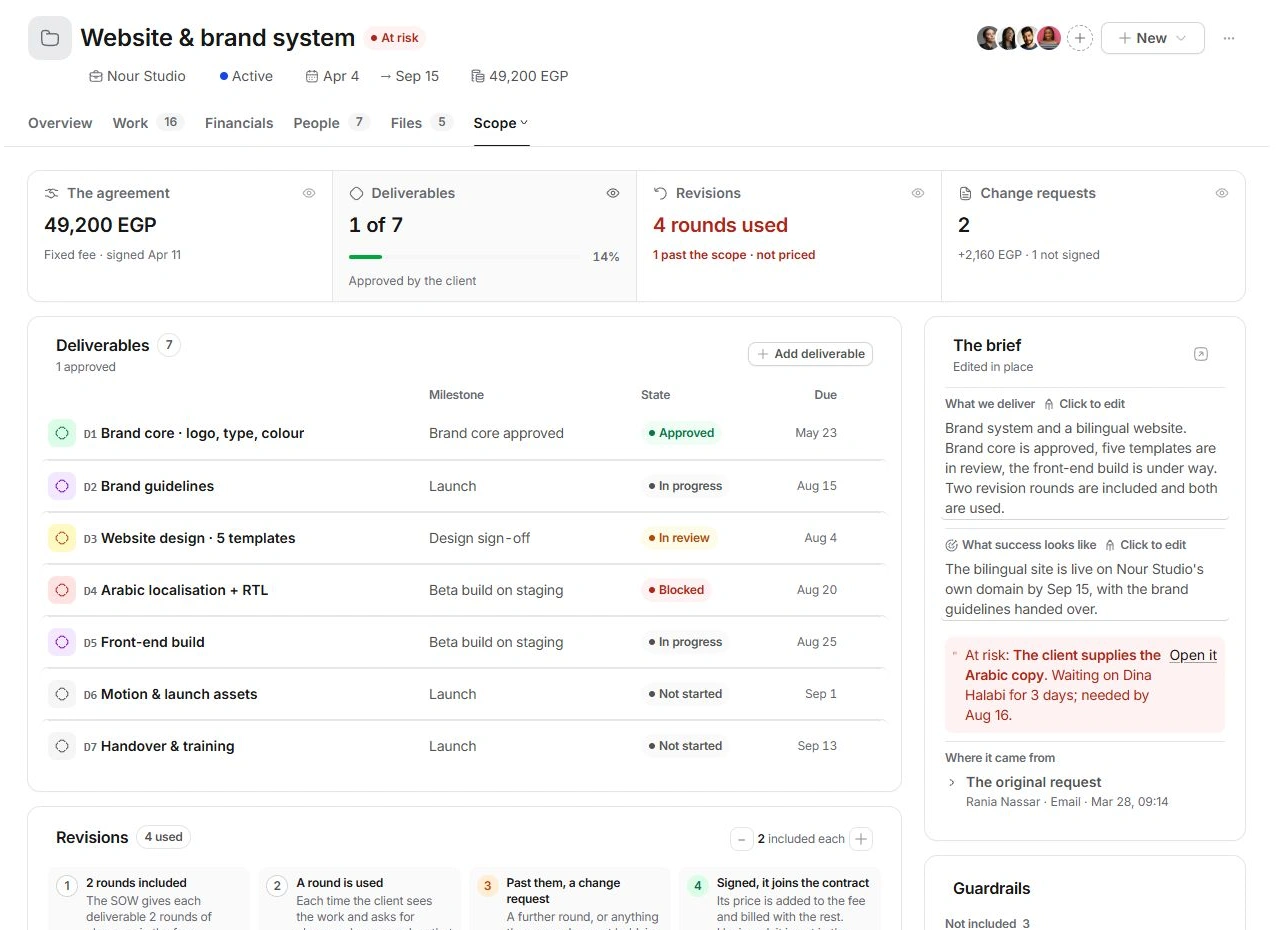
Open More → Scope. The agreement, deliverables, revision rounds and change requests appear together. The brief describes What we deliver and What success looks like; edit these in place. Guardrails separates Not included from What it assumes. Open the SOW in Documents to inspect the agreement behind the summary.
Track revisions against the agreement
- Check the included allowance.
Revisions shows how many rounds are included for each deliverable. Correct the contract allowance only when it reflects the actual agreement.
- Log a round on the relevant deliverable.
Record a review cycle where the client asks for changes. Use Take back a round to correct a mistaken count.
- Review work past the scope.
An extra round or an excluded request needs a separate scope decision. Open its change request before assigning more work.
Price the request before committing it
Use Change request or open an existing CR row. Review what changed, the relevant task or deliverable and the price. Keep Found, Priced, Signed and Billed distinct. A price proposal is not acceptance, and an internal status is not proof that a client signed a document.
Check the commercial result
Inspect the related document and client approval before treating the change as agreed. Financials separates signed additions from Forecast final value conditional on a pending change. Check both the contract and billing plan after an accepted change; avoid increasing the base fee and adding the same change twice.
Need a clarification? Tell us what you were trying to do below.
Was this article helpful?
Need help with your workspace?
A support request lets the team reply to you directly.
Get help with this article