
Turn a qualified lead into a deal
Hand a qualified enquiry to Deals and retain its relationship to the original lead.
On this page
Prepare the lead
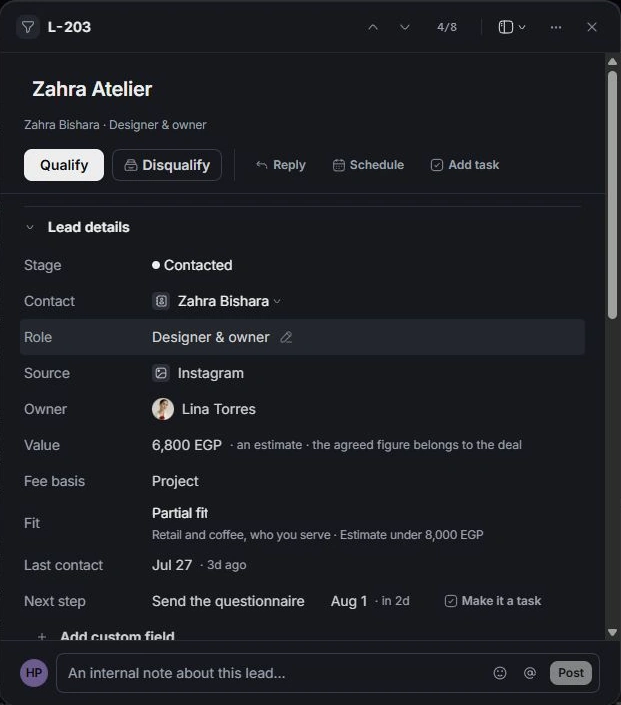
Open the qualified lead and check its contact, owner, value estimate, fee basis and brief. Correct those details before the handoff so the deal begins with the right context.
Use the explicit deal action
Choose Open deal on the qualified lead. Review the handoff fields shown before confirming. Use the existing linked-deal action when it says Go to the deal; this avoids creating a second opportunity for the same enquiry.
Continue in Deals
Open the resulting deal and review its client relationship, signing contact, scope, value and expected close. The lead’s estimate is a starting point; the agreed commercial scope belongs to the deal.
Verify both ends
Return to the lead and confirm that its deal link opens the correct opportunity. Qualified leads can disappear from an open pipeline view. Use Qualified or Everything to find the original enquiry and its history.
Need a clarification? Tell us what you were trying to do below.
Was this article helpful?
Need help with your workspace?
A support request lets the team reply to you directly.
Get help with this article