
Filter and organise projects
Find a useful delivery view and keep attention signals separate from lifecycle stages.
On this page
Choose a purposeful view
Active work, At risk & watch, Due in 30 days, Blocked, Over budget and Unbilled work focus the index on different questions. More includes On hold, Closed and Everything. Needs you focuses on decisions rather than a delivery stage.
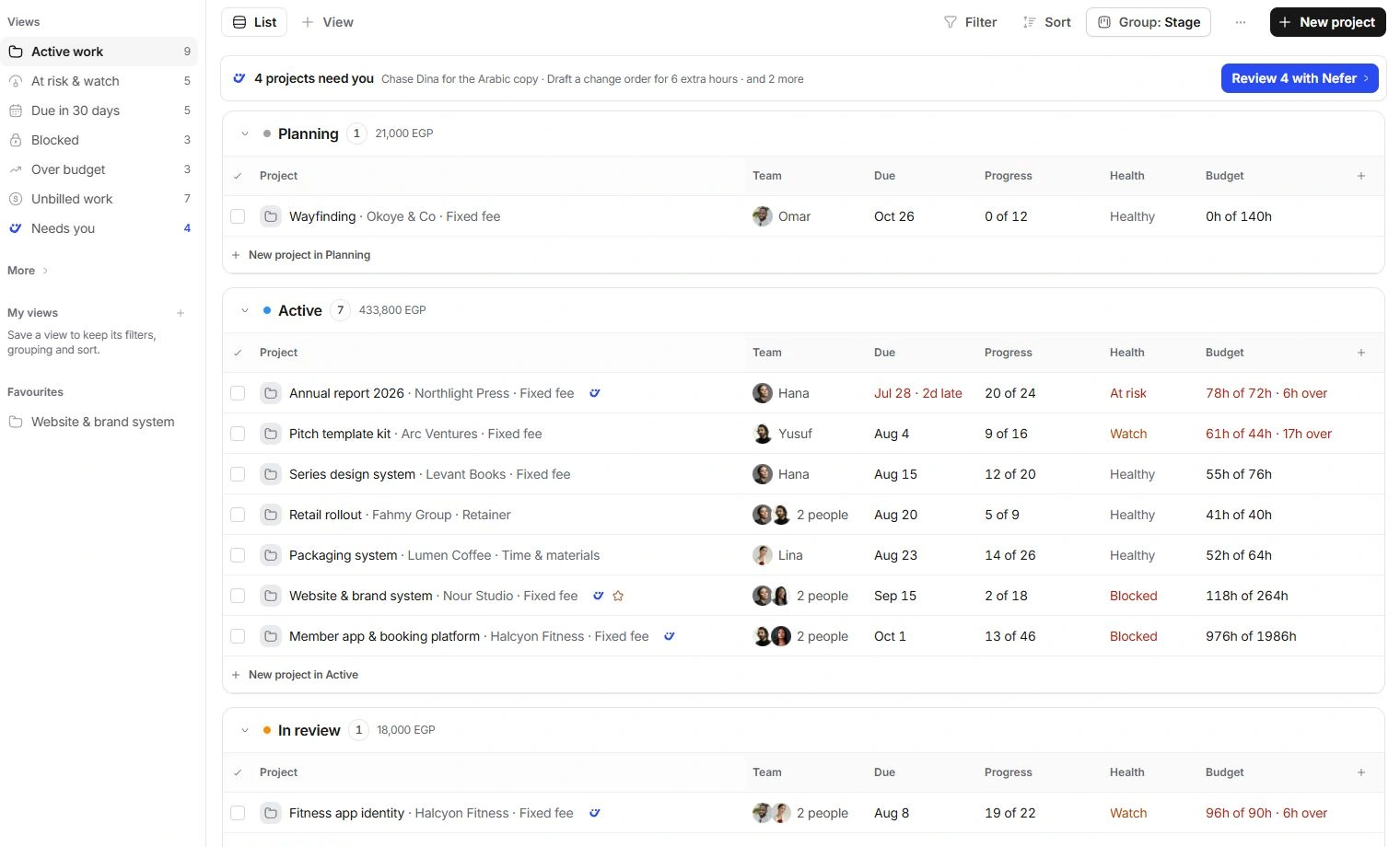
Arrange the index
- Search for the project.
Use its distinctive name, client or code.
- Review Filter and Sort.
Check the constraints before concluding a project is missing.
- Choose List or Board.
Use the view that helps you compare the relevant projects. Review grouping and display options before saving the arrangement.
- Save a useful view.
Use the view controls to keep a repeatable arrangement, checking whether it belongs to you or the team.
Choose useful columns
Progress, health, due date and logged versus estimated hours describe different things. Display and custom fields help surface the information you need. A custom field added in Project settings can also be shown in the Projects index.
When the result set is empty
Clear search and filters, check More → Everything and look in On hold or Closed. A favourite is a navigation shortcut; it does not change a project's state. Ask the project owner about access before recreating a project you cannot see.
Need a clarification? Tell us what you were trying to do below.
Was this article helpful?
Need help with your workspace?
A support request lets the team reply to you directly.
Get help with this article