
Review Nefer’s project proposals
Check the evidence and proposed change before accepting a delivery or billing suggestion.
On this page
Find the decision
Open Needs you in the Projects sidebar or a decision on Overview. Nefer can propose responses to delivery risk, blockers, over-estimate work and approved time. Read the named project and the actual proposed action before applying it.
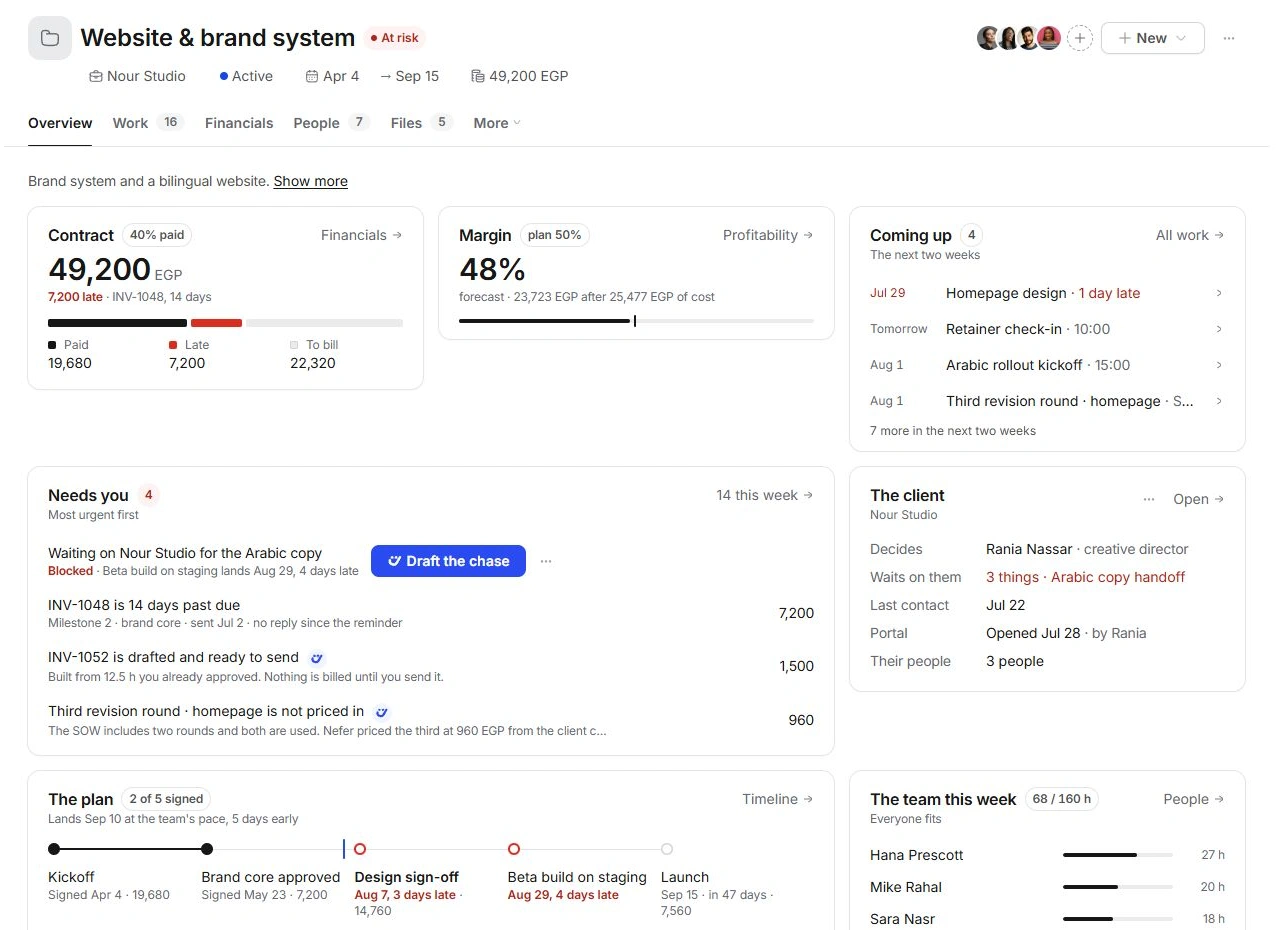
Review the proposal
- Open its supporting record.
Check the task, dependency, time entry, invoice or scope request the suggestion refers to.
- Check the assumptions.
Review dates, rates, hours, client responsibility and current state. A plausible summary still needs the right source.
- Choose the appropriate decision.
Accept the useful change, adjust the underlying work when needed or defer the suggestion through the available review controls.
- Inspect the result.
Check the project record and any created draft. A prepared chase, invoice or change request needs its own review.
Follow drafts to their owning module
Read prepared messages in Inbox and verify recipients and wording before sending. Review invoice contents and billing eligibility before sending a draft. Confirm the agreement behind a scope addition rather than treating a prepared document as client acceptance.
When a suggestion is no longer relevant
Open the current source record and check whether the blocker, estimate or invoice has already changed. Avoid applying the same proposal twice. If the review and source disagree, keep the decision pending and contact support with the project code and the specific discrepancy.
Need a clarification? Tell us what you were trying to do below.
Was this article helpful?
Need help with your workspace?
A support request lets the team reply to you directly.
Get help with this article