
Review your plan and seats
Review the workspace plan, seat usage and billing contact before changing membership or subscription details.
On this page
Open Plan and billing
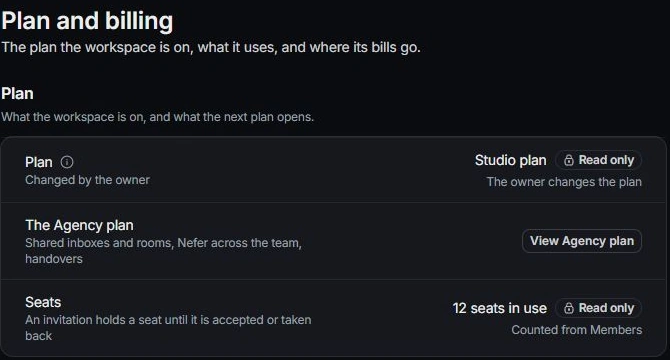
Open Settings → Plan and billing. Read the current plan and the usage shown. Plan administration belongs to the workspace owner; a teammate may see information without being able to change it.
Understand seats
Read the seat explanation, including invitations that hold a seat until accepted or withdrawn. Check pending invitations before inviting the same person again. Use Members to review who those seats belong to.
Review workspace usage
Read the counts for clients, contacts and projects in the workspace. Do not infer a limit from a count alone; use the current plan information and the control’s explanation.
Check billing details
Review Billing email and receipts. This is Tamaam’s own billing contact, distinct from the clients you invoice through Finance. Review the terms and price shown in any plan-change flow before confirming a purchase.
Need a clarification? Tell us what you were trying to do below.
Was this article helpful?
Need help with your workspace?
A support request lets the team reply to you directly.
Get help with this article