
Review a prepared follow-up
Turn a proposed follow-up into a reviewed message with the right recipient and context.
On this page
Inspect the suggested follow-up
Open the follow-up proposal from Nefer, a client, deal or invoice. Read why the follow-up is needed and check whether a teammate has already contacted the recipient.
Prepare the draft
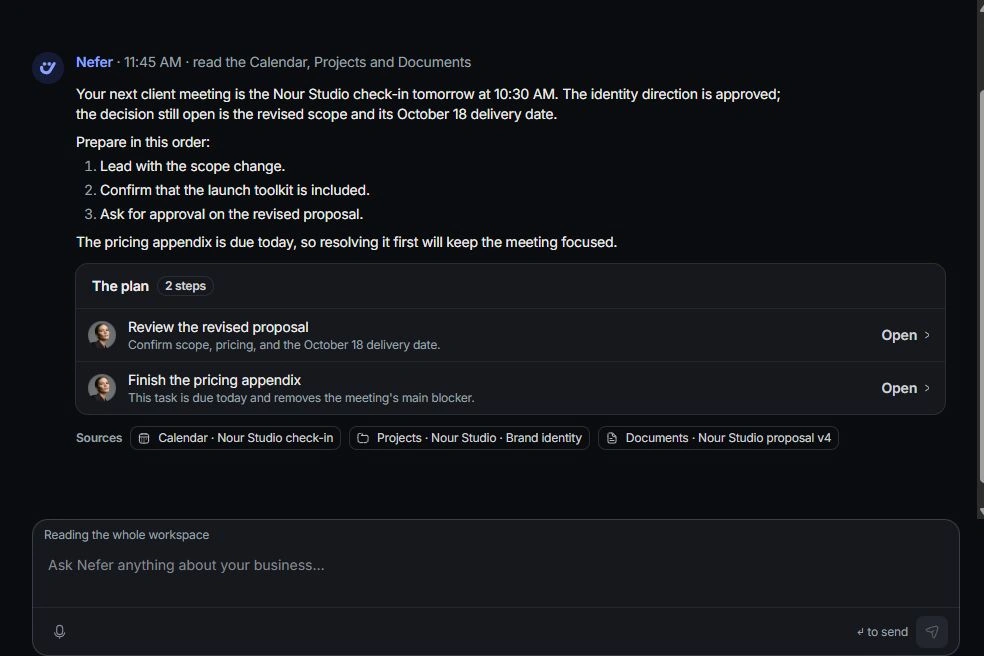
Use the offered draft action. In a chat plan, a completed draft step provides a review link into Inbox. Her drafts also appear in the Drafts area on the Nefer page.
Review in the composer
Open the draft and check To, subject, tone, factual claims, links and any attachments. Confirm the proposed amount or date from its source record. Edit anything that sounds stronger than what the team agreed.

Complete the message workflow
Use the composer’s sending workflow when the message is ready. Then check the conversation and any linked follow-up status. If you decide against the draft, use its discard or Undo option rather than leaving a duplicate for another teammate.
Need a clarification? Tell us what you were trying to do below.
Was this article helpful?
Need help with your workspace?
A support request lets the team reply to you directly.
Get help with this article