
Control Nefer’s workspace settings
Set where Nefer helps, how her drafts are reviewed and the business context she works from.
On this page
Open Settings → Nefer
Review Her line, Where she helps, How she writes and What she brings you. Read the explanations beside each setting and check that you are changing workspace behavior rather than only the current draft.
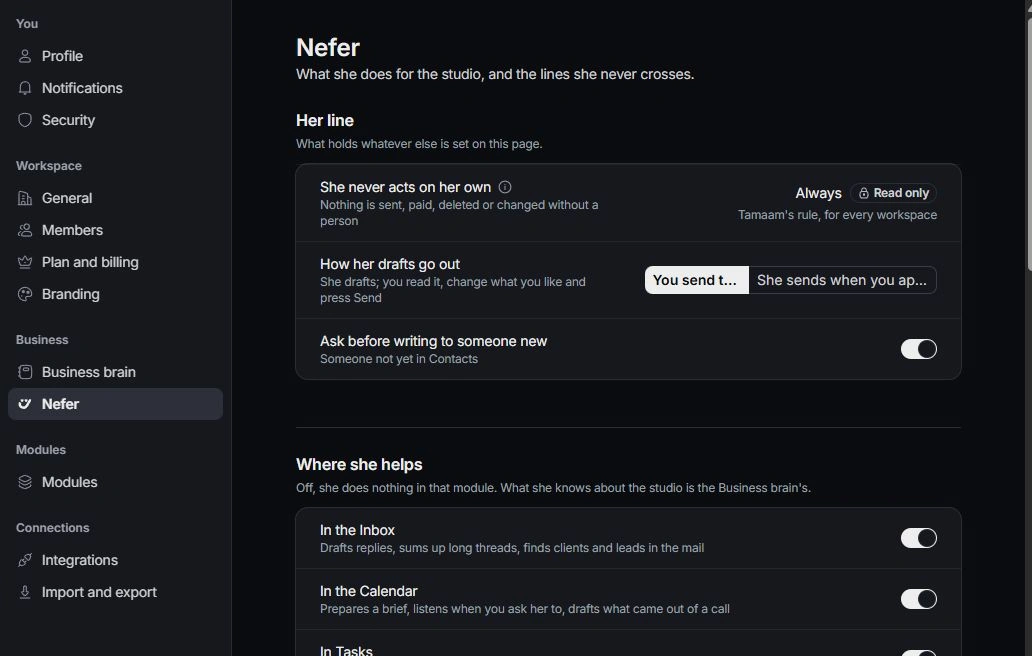
Review draft approval preferences
Choose how her drafts go out and whether she asks before writing to someone new. A particular draft still needs the review path shown for it. Confirm recipients and content at that point.
Maintain business context and voice
Use Business brain for the company, services, ideal client, goals, operations and voice. Use Nefer settings for tone, supported writing languages and module assistance. Correct the underlying business facts when answers repeatedly rely on old information.
Set the brief routine
Review the morning brief and Friday summary preferences. Check your personal notification settings for where updates reach you. After a change, inspect a new response or draft rather than assuming an old conversation was rewritten.
Need a clarification? Tell us what you were trying to do below.
Was this article helpful?
Need help with your workspace?
A support request lets the team reply to you directly.
Get help with this article