
Navigate a client’s page
Read the relationship, find the work and open the records behind a client account.
On this page
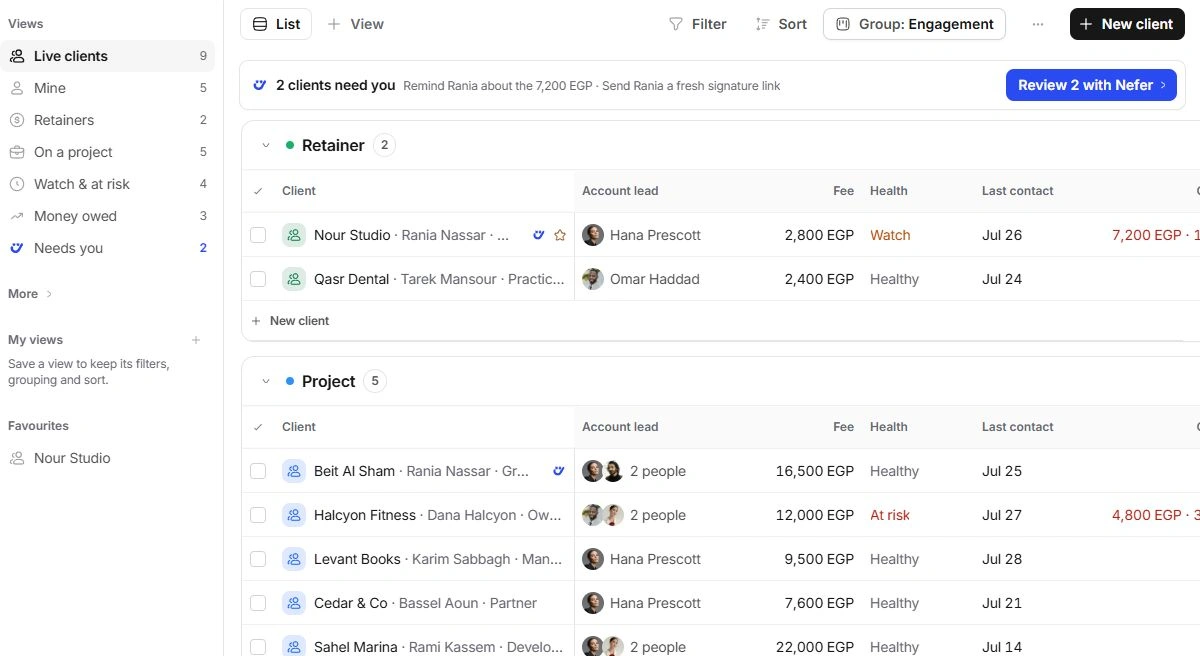
Start from the Clients list
Open Clients in the workspace navigation. Live clients shows current relationships; Mine focuses on the accounts you lead. Retainers, On a project, Watch & at risk and Money owed answer different questions. Open a client row to reach its full page.
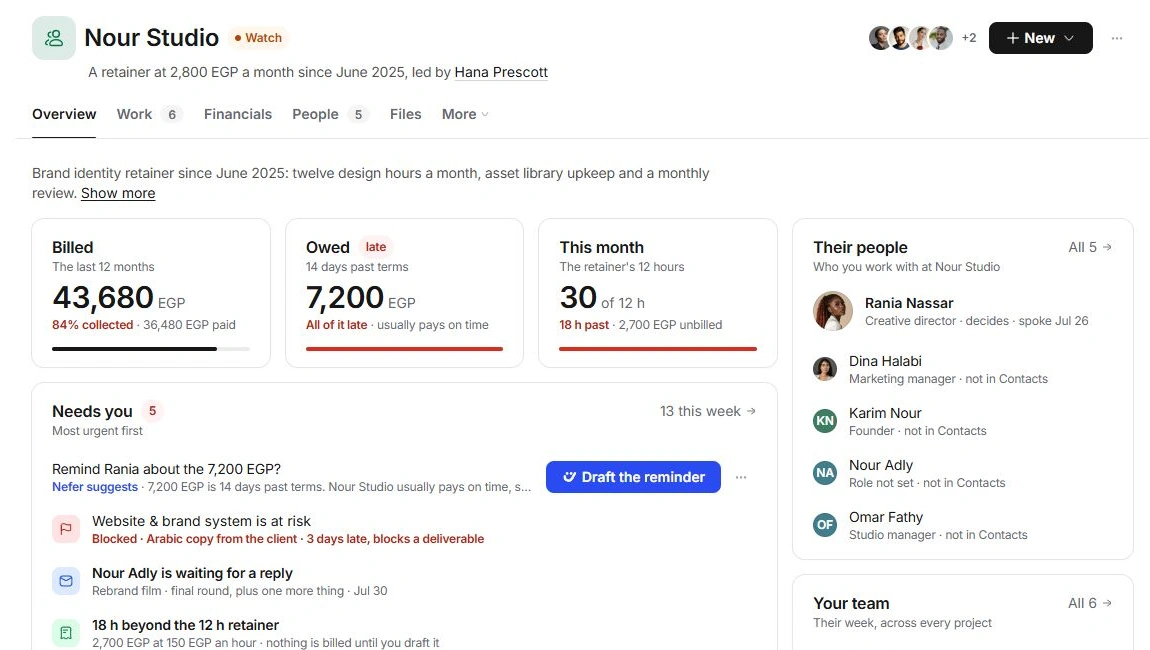
The name, health and account-team faces identify the account. The sentence beneath the title describes its engagement, fee, start of relationship and leads. Change those facts in Client settings rather than trying to edit the sentence.
Choose the page for your question
- Overview: account context, money, decisions, upcoming work and internal comments.
- Work: projects, deals, client tasks and who is doing the work.
- Financials: invoices, revenue, unbilled work, retainer use and payment terms.
- People: client-side contacts, conversations, meetings and the account team.
- Files: account attachments, project files and Documents records.
- More: Activity and Client settings. When one is selected, its name replaces More; select the named tab to choose another.
Create the next record in context
Use New for a Project, Task, Deal, Email, Meeting, Invoice, Document or Person. The account is carried into the relevant form. Review it along with the owner, recipient and commercial details before saving.
When a summary needs explanation
Open the amount, health signal or linked record to inspect its source. Billed, collected, owed and unbilled mean different things. A task, a proposal and an invoice also have their own states; use their owning record for the complete story.
Need a clarification? Tell us what you were trying to do below.
Was this article helpful?
Need help with your workspace?
A support request lets the team reply to you directly.
Get help with this article