
Compose a new message
Start a separate email with the correct sending identity, recipients and related context.
On this page
Open Compose
Use Compose above the queue, c when not typing, or the workspace shortcut shown in Help. A new message starts its own conversation. To start with an existing thread’s context, use More actions → New message about this instead.
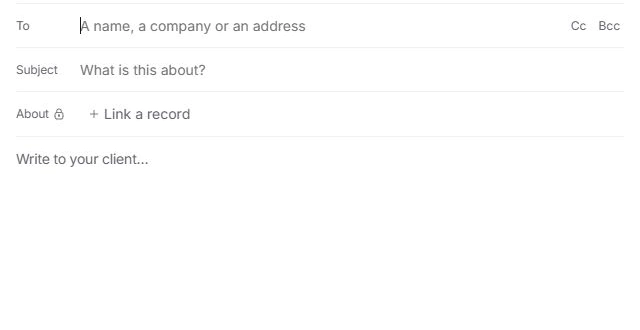
The composer can be resized using its window controls. Keep the recipient and subject fields visible while checking the message.
Prepare the message
- Choose the sending identity.
Check Send as and the addresses available to you. A shared-inbox address should match the team handling the response.
- Add recipients.
Select the intended people or enter valid addresses. Check To and any Cc or Bcc separately.
- Write a specific subject and body.
Without a subject, the composer asks for another confirmation. Adding a subject helps the team and client find the conversation later.
- Review related context and ownership.
The owner is internal. Review any attached client, project or source context before saving or confirming.
Check the content before confirming
Templates insert reusable content. Draft with Nefer offers help writing it; inspect every date, promise and placeholder. Add attachments only when they belong in this message, and wait for their preparation to finish.
An empty body, missing recipient, pending review or attachment issue can hold Send. Read the reason in the composer rather than repeatedly pressing the button.
Keep work you are not ready to send
Use Send later → Save as a draft to keep the work in Drafts. Closing a written message can offer a keep-or-discard decision. Choose deliberately so you can return to the same draft rather than starting another copy.
Need a clarification? Tell us what you were trying to do below.
Was this article helpful?
Need help with your workspace?
A support request lets the team reply to you directly.
Get help with this article