
Review Nefer’s client suggestions
Inspect evidence for reminders, scope and billing suggestions before accepting the next step.
On this page
Find the decision
Use Needs you in Clients, Review with Nefer on the index, or the account’s Overview. Suggestions can relate to overdue money, quiet contact, retainer overage or missing people. Check the client and proposed action before applying it.
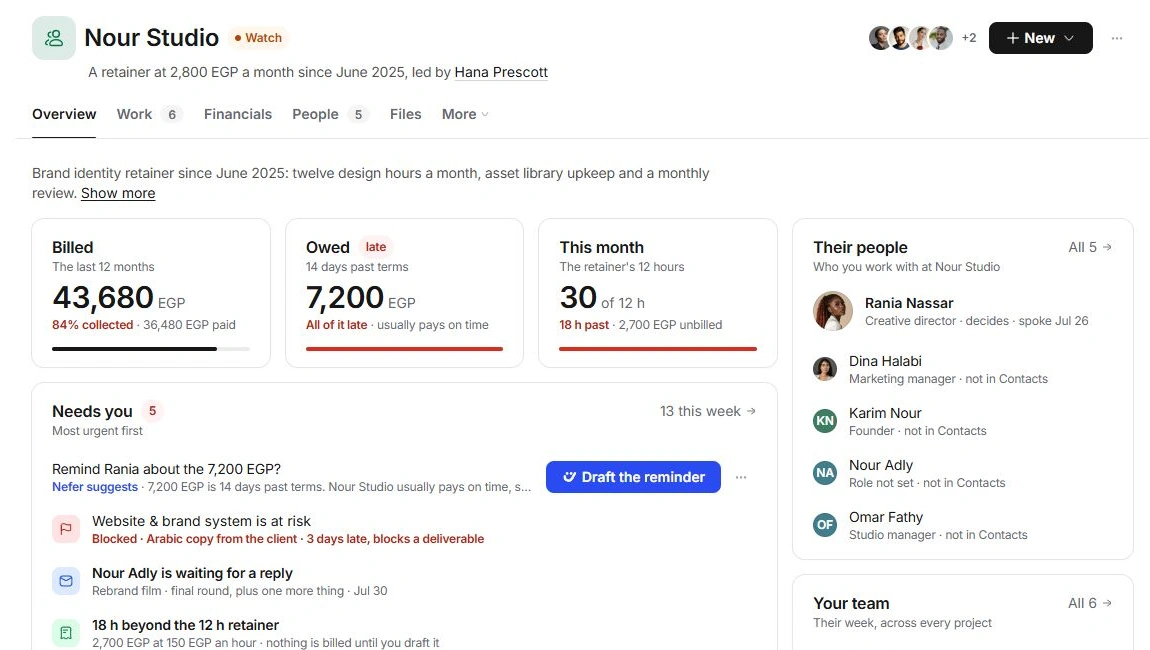
Review before accepting
- Open the evidence.
Check the source invoice, conversation or unbilled work.
- Read the proposed change.
Verify the person, amount, dates and rate. Inspect the old and proposed values where shown.
- Choose the appropriate decision.
Accept a useful proposal, defer it with Not now or Remind me later, or reject it when the evidence does not support it.
- Inspect what was prepared.
Follow a message to Inbox or a draft invoice to Finance. Check it before using its sending action.
Treat bulk approval as several decisions
Apply all changes affects every included proposal. Review the whole set first. A suggested contact addition and a suggested invoice have different consequences; inspect each destination afterward.
When the source has changed
Check the current invoice, contact or agreement rather than applying an outdated suggestion twice. If the proposal and current record disagree, keep the decision pending and contact support with the client code and discrepancy.
Need a clarification? Tell us what you were trying to do below.
Was this article helpful?
Need help with your workspace?
A support request lets the team reply to you directly.
Get help with this article